

Smart plugs are one of the simplest ways to bring smart technology into your home. They let you control ordinary appliances using your phone or smart speaker, monitor energy usage, and create useful automations such as scheduling routines or simulating occupancy when you’re away from home, all without replacing existing devices.
For those new to smart home technology, smart plugs offer a simple and inexpensive way to “test smart home waters” before committing to a more permanent setup. Thanks to the new Matter smart home standard, today’s smart plugs work seamlessly across multiple ecosystems, including Amazon Alexa, Apple Home, Google Home, and Samsung SmartThings.
In this review, we are testing the Tapo P110M, a Matter-certified smart plug with built-in energy monitoring, across multiple smart home ecosystems (Apple Home, Google Home, Amazon Alexa, Samsung SmartThings, and Home Assistant). Although the Tapo P110M is available in several plug types, this review will focus on the Type G (UK) variant.
TL;DR
Reasons to Buy
Reasons to Avoid
Device Specifications
Connectivity
2.4 GHz Wi-Fi (802.11a/b/g/n)
Works With
Apple Home
Google Home
Amazon Alexa
Samsung SmartThings
Home Assistant
Homey Pro
Hubitat
Plug Type
Type G
Dimensions
72.5 x 51.5 x 30.6 mm
Weight
110 g
Material
UL94-V0 Flame-Retardant PC
Power Rating
AC 220-240V~50/60Hz
Maximum Load
2990W, 13A, 1/6 HP Motor
Max. Power Consumption
1.64 W (Relay ON, Power Consumption)
0.64 W (Relay OFF, Standby Power Consumption)
Operating Temperature
0°C to 40°C
Operating Humidity
10% to 90% RH, Non-condensing
Certifications
RoHS, UKCA, CE
What’s In The Box?
The Tapo P110M smart plug comes in a compact box measuring 75 x 67 x 53 mm, which is great as minimal material is used for packaging.
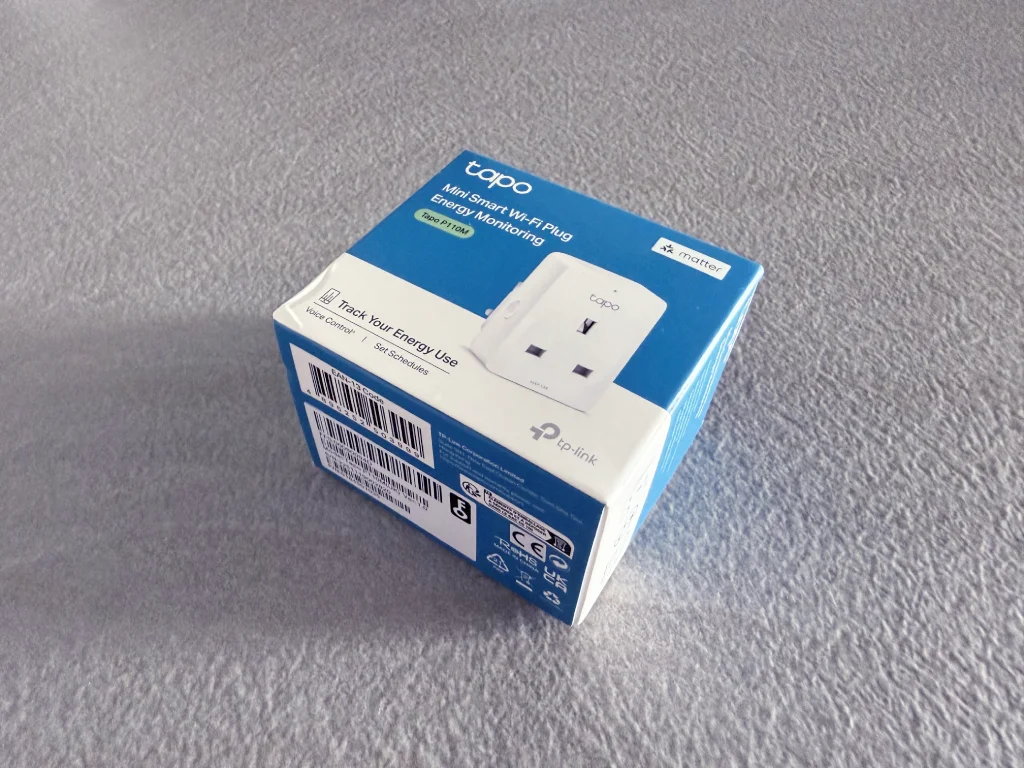
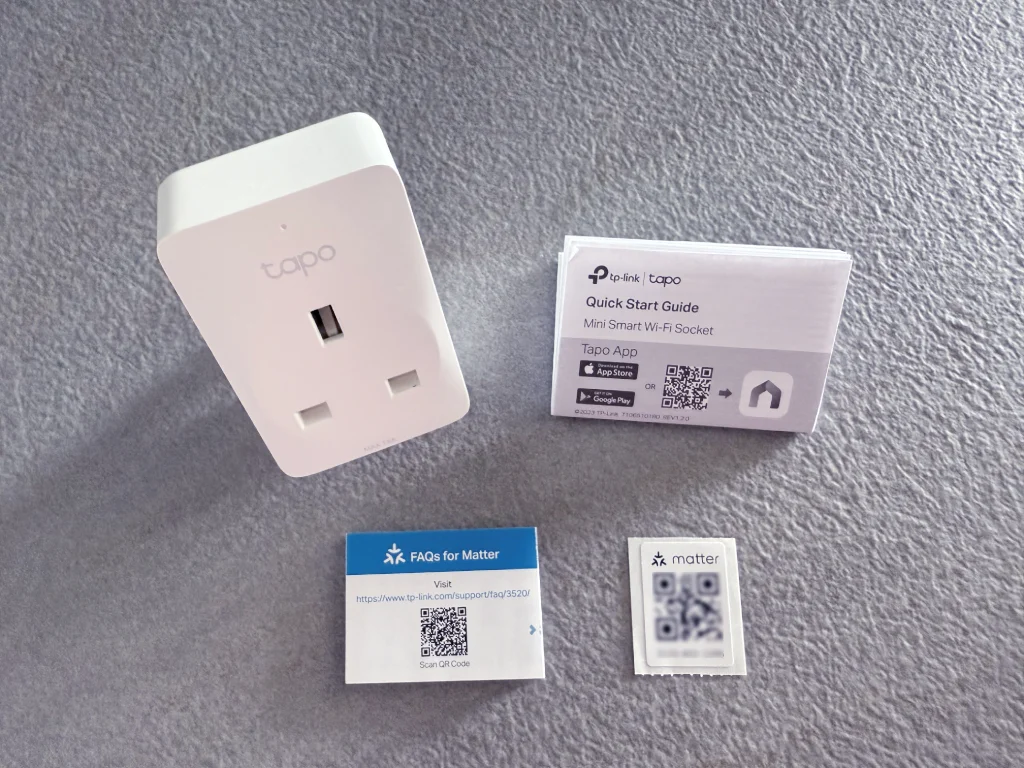
Inside, you’ll find the following items:
- Tapo P110M smart plug
- Quick start guide
- Matter FAQ
- Spare Matter setup code
Product Design
For this review, we are featuring the Type G variant of the Tapo P110M, which is designed for UK-style wall outlets. The P110M is also available in other plug types, including:
- North America (Type B)
- EU (Type E and Type F)
- Australia (Type I)
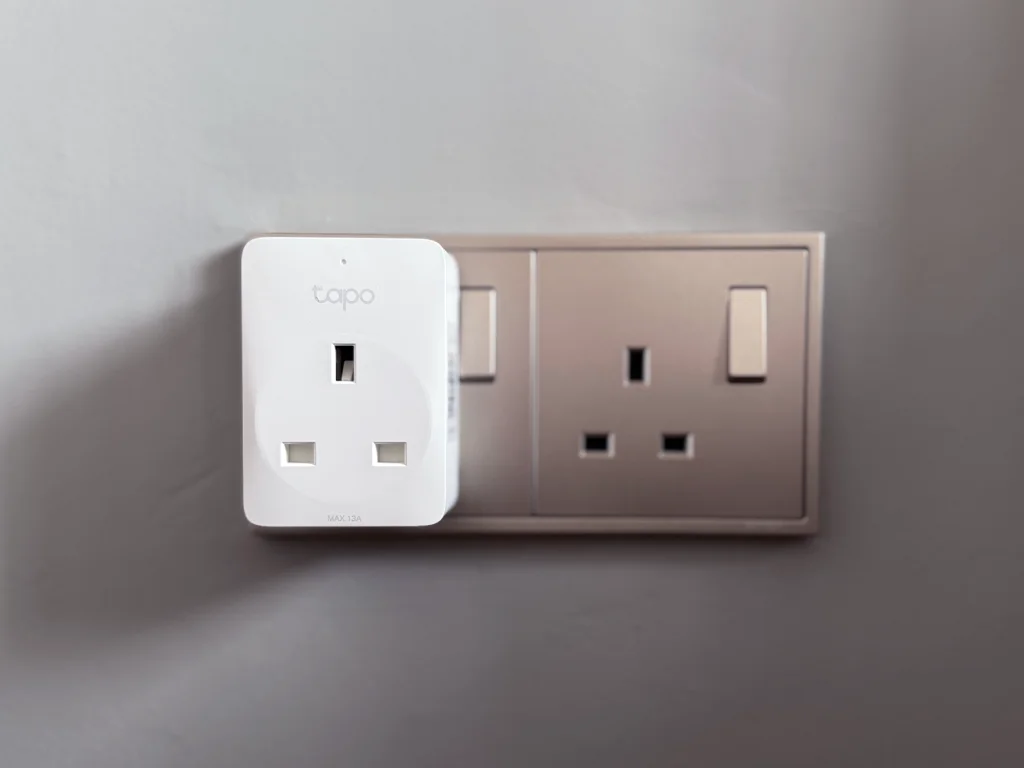
The P110M maintains the compact form factor of its non-Matter siblings, the P110 and P100, ensuring it does not block adjacent sockets. The plug’s exterior features a standard set of female 3-pin plug slots on the front, alongside a small LED indicator at the top, and the Tapo logo just below the LED.
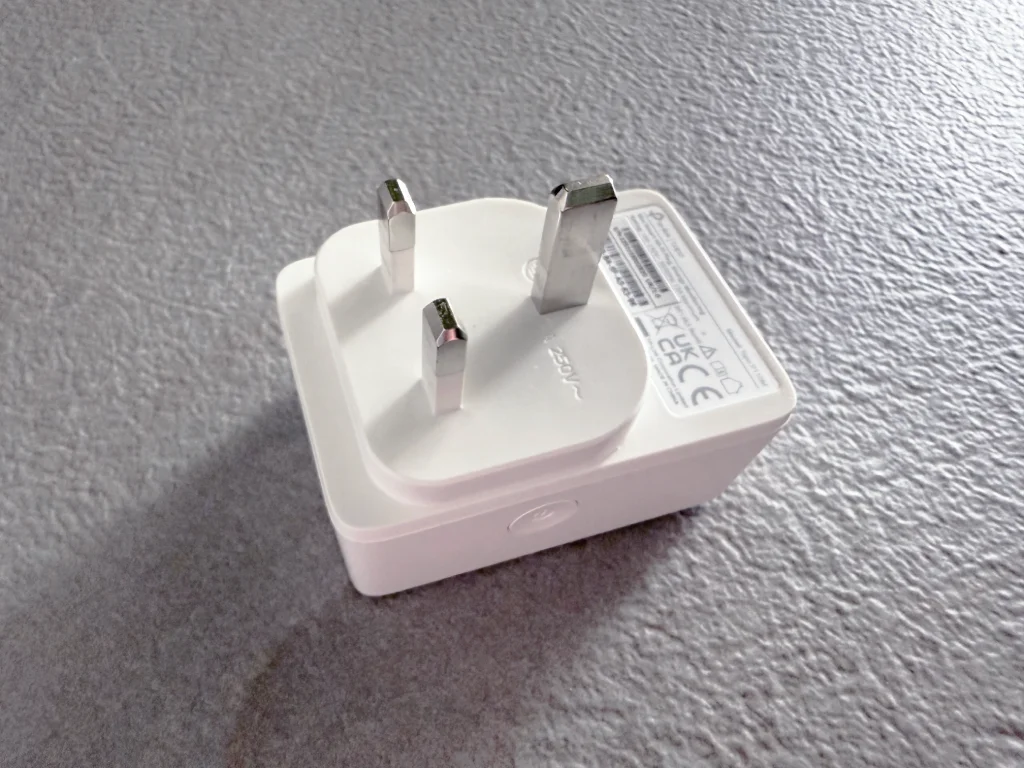
The back contains the male 3-pin Type G prongs for insertion into the wall socket.
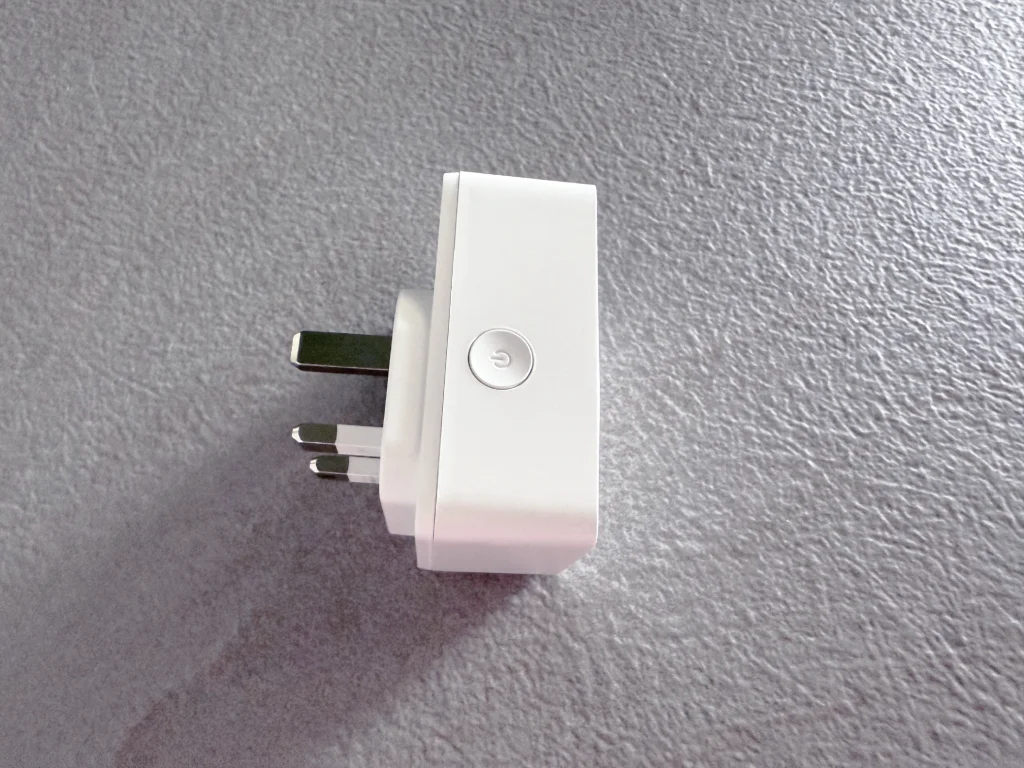
A physical power button is conveniently located on one side of the plug, allowing you to manually toggle power on and off.
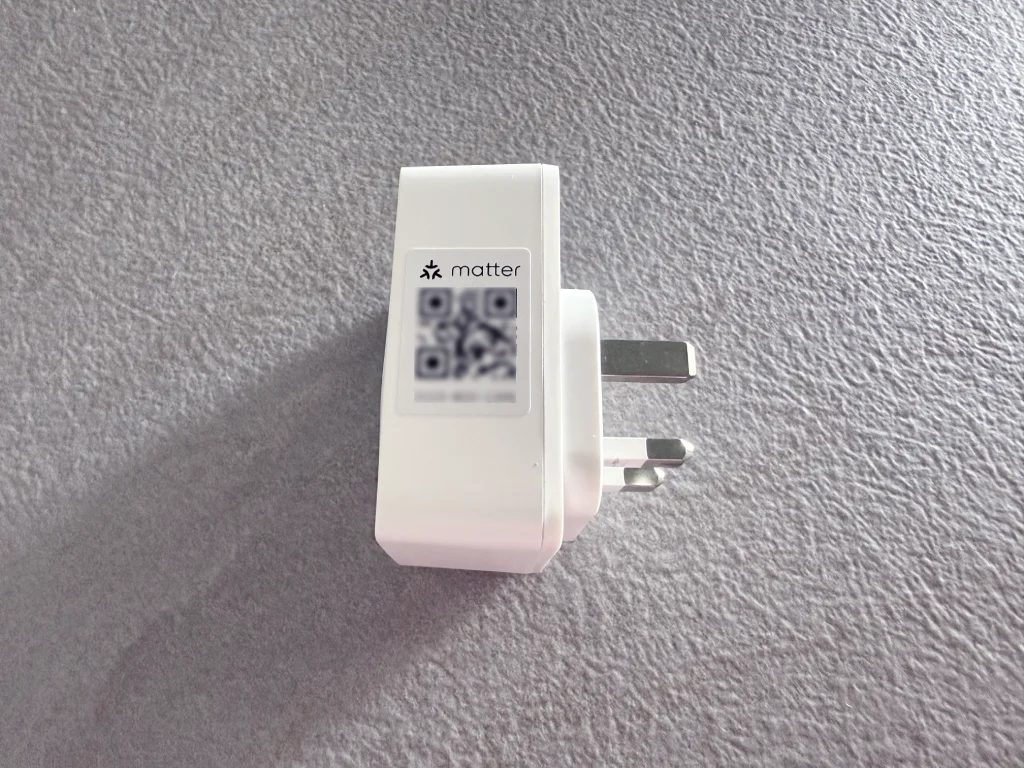
On the opposite side is the Matter setup code.
The Tapo P110M features a cutaway design above the pins to accommodate wall outlet power buttons situated directly above the socket.
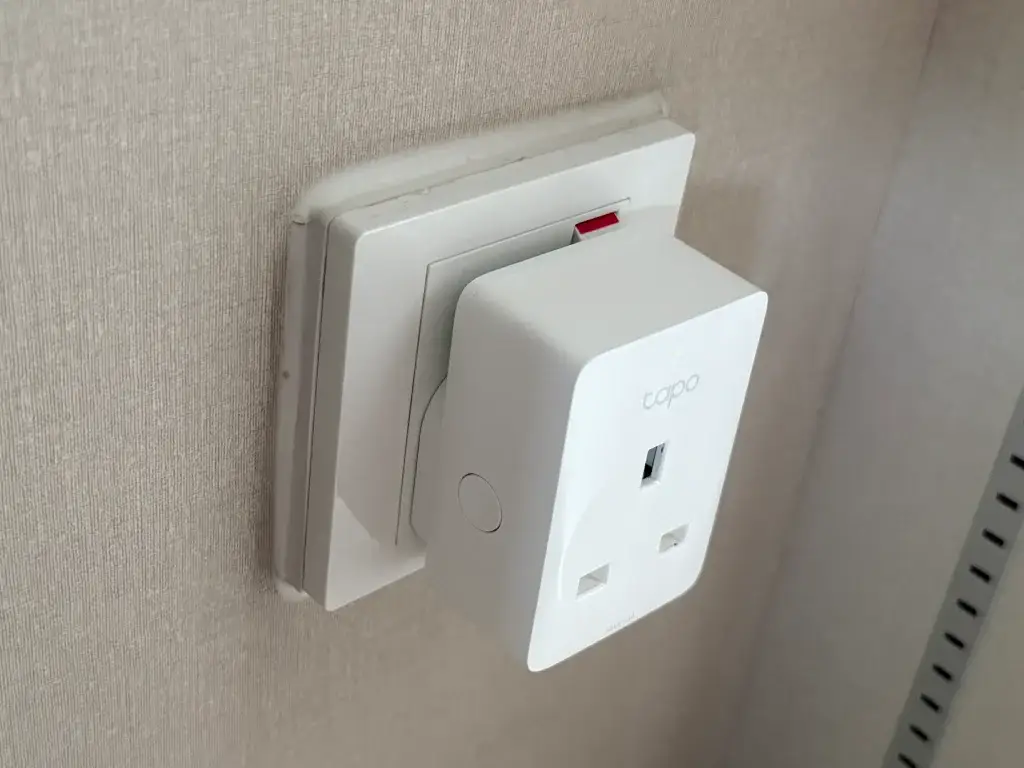
With limited space, you can’t physically toggle the wall switch power with the plug inserted into the outlet. For such scenarios, it’s best to leave the wall switch permanently in the ‘On’ position and control the plug via the Tapo app or Matter-compatible ecosystem apps such as Apple Home, Google Home, Alexa, etc.
Setup & Compatibility
The Tapo P110M is a Matter over Wi-Fi smart plug, which means it connects over Wi-Fi (2.4 GHz only). Thanks to Matter’s Multi-Admin feature, the smart plug can be added to and controlled on Apple Home, Google Home, Amazon Alexa, and other Matter-compatible ecosystems at the same time.
Setup on Apple Home
One key advantage of the P110M versus its older siblings (P110, P100) is that it works on Apple Home, giving it wider compatibility with smart home platforms.
Adding the P110M to Apple Home is a simple process, taking only a few minutes. The process is very similar to adding any other accessory to Apple Home. Open the Apple Home app on your iPhone or iPad, tap ➕, Add Accessory, then scan the QR code on the plug and follow the on-screen instructions.
Once the device is added, you can control the plug directly from the Apple Home app, using Siri, or incorporating it into custom automations.
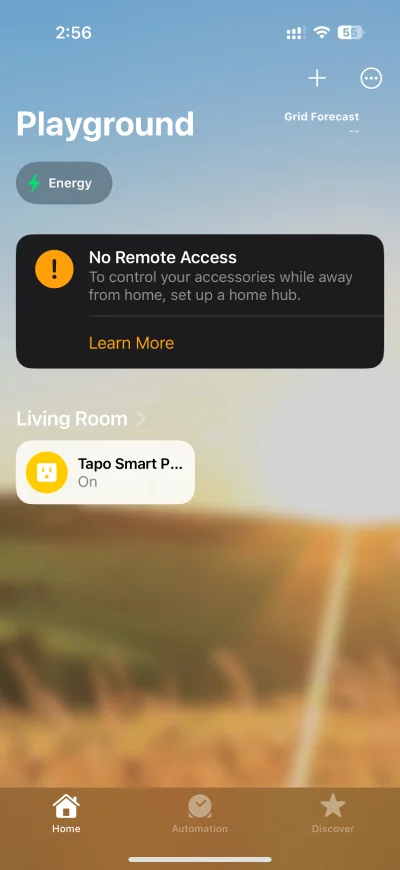
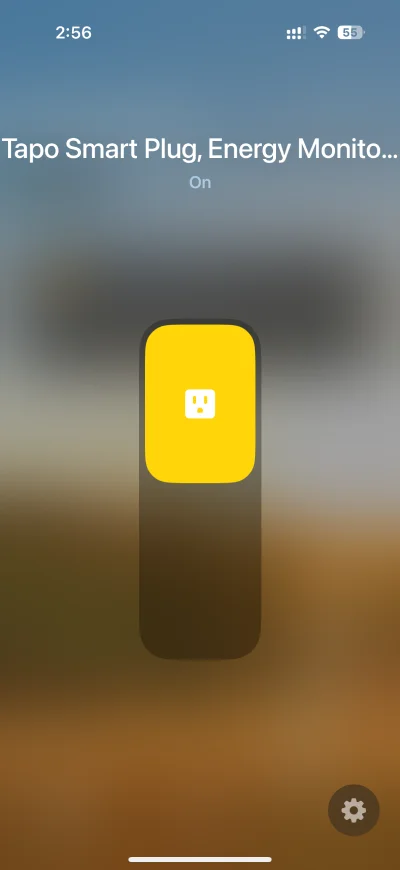
Apple Home provides the basic On/Off function and the ability to customize notifications from the plug. However, there is no energy monitoring capability on Apple Home, even though TP-Link has updated the P110M to support Matter energy monitoring.
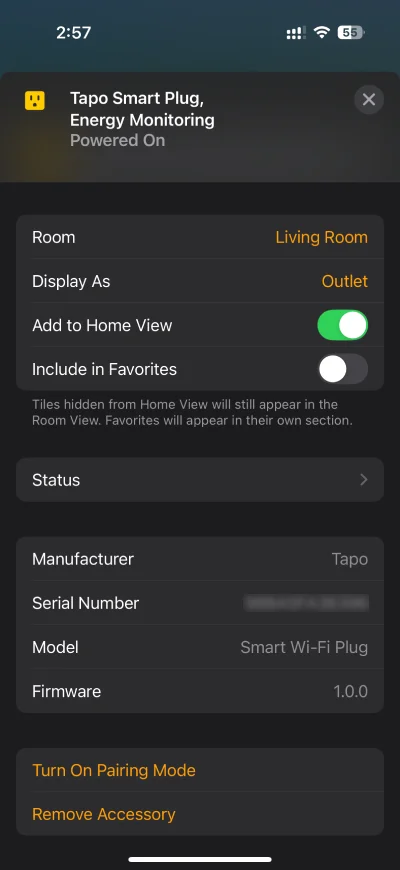
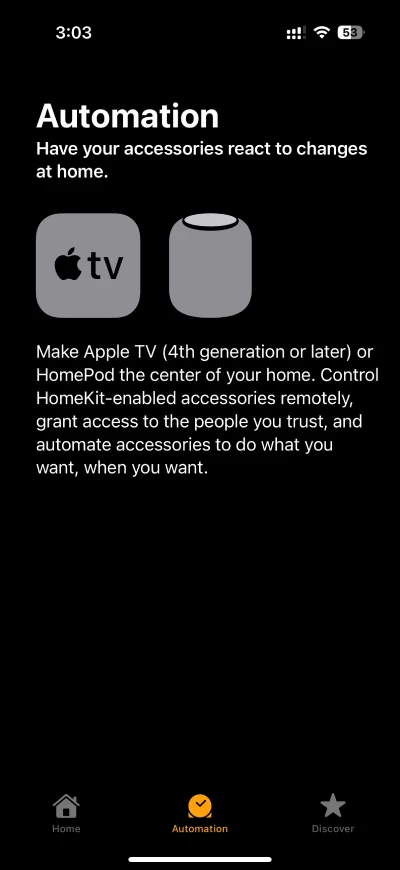
One thing to note is that you can add the P110M to Apple Home without a Home hub (Apple TV HD or later, HomePod, HomePod mini). However, you will need one to use automations and control your devices remotely, outside your home network.
Setup on Google Home
After adding the P110M to Apple Home, it’s now time to perform testing across other Matter-compatible ecosystems, starting with Google Home. Adding the Tapo P110M to Google Home is also a simple process, taking only a few minutes to complete.
To add a Matter device, Google Home requires one of the following Matter-enabled hubs paired to your Google Home app.
Speakers
- Google Home
- Google Home Mini
- Nest Mini
- Nest Audio
Displays
- Nest Hub (1st gen)
- Nest Hub (2nd gen)
- Nest Hub Max
Wi-Fi Routers
- Nest Wifi Pro (Wi-Fi 6E)
Streamers
- Google TV Streamer (4K)
Open the Google Home app and navigate to the Devices section, tap the + Add button, select Scan QR code, then scan the QR code on the plug, and follow the on-screen instructions. Once added, the plug will appear in the Google Home app, where it can be controlled via touch and voice (Google Assistant, Gemini), or using custom Google Home automations.
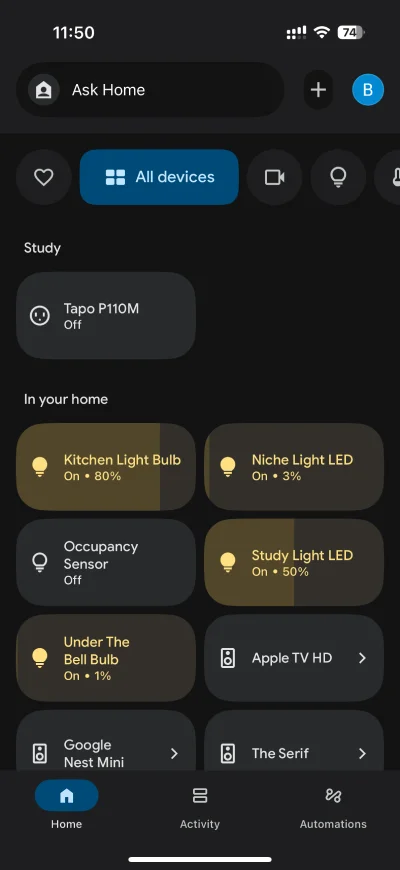
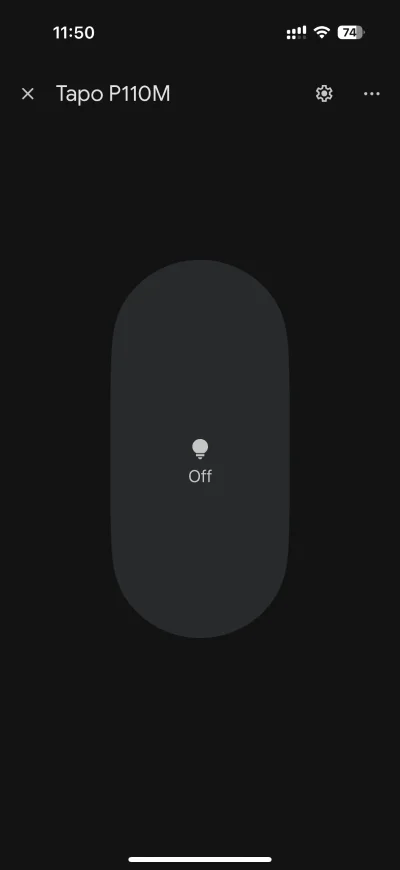
Google Home provides only the basic On/Off feature, without energy monitoring capability.
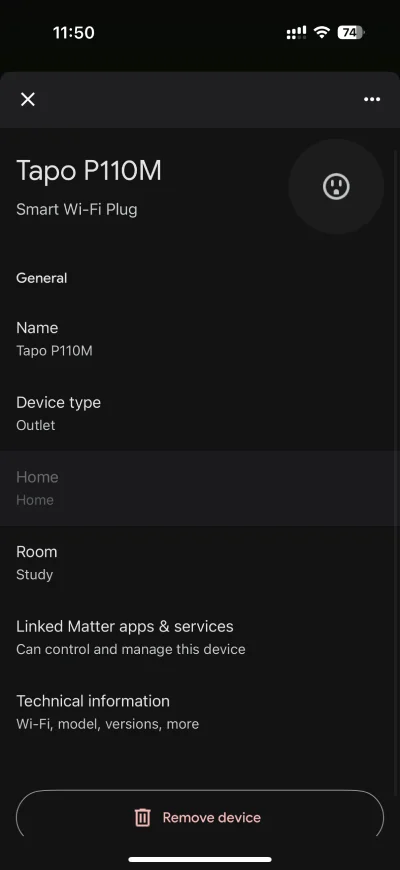
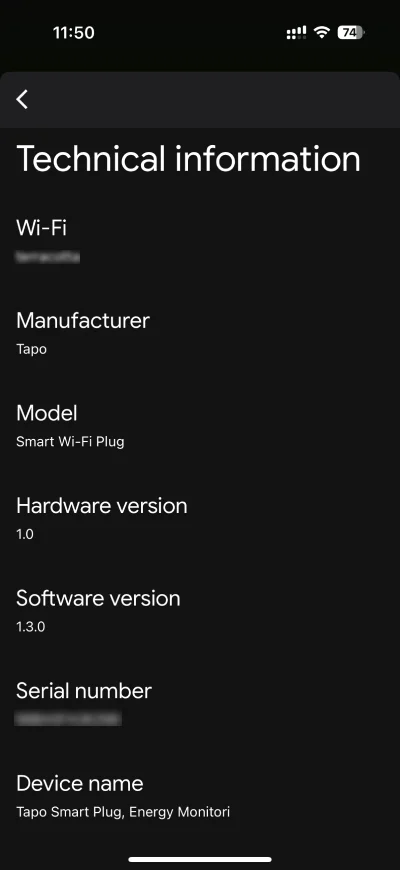
Tapping on the gear icon brings you to the settings screen, which allows you to customize the Device name, Device type, and Room where the plug is located, manage Linked Matter apps & services, and view Technical information.
Setup on Amazon Alexa
To add the Tapo P110M to Alexa, you will need one of the following Matter-enabled hubs.
Speakers
- Echo Dot (5th Gen)
- Echo Dot (4th Gen)
- Echo Dot (3rd Gen)
- Echo Dot (2nd Gen)
- Echo Spot
- Echo Dot with Clock (5th Gen)
- Echo Dot with Clock (4th Gen)
- Echo Dot with Clock (3rd Gen)
- Echo (2nd Gen and newer)
- Echo Pop
Displays
- Echo Show 21
- Echo Show 15 (2nd Gen)
- Echo Show 15 (1st Gen)
- Echo Show 10 (3rd Gen)
- Echo Show 8 (3rd Gen)
- Echo Show 8 (2nd Gen)
- Echo Show 8 (1st Gen)
- Echo Show 5 (3rd Gen)
- Echo Show 5 (2nd Gen)
- Echo Show 5 (1st Gen)
- Echo Hub, Echo Studio (2nd Gen)
- Echo Studio (1st Gen)
- Echo Flex
- Echo Plus (2nd Gen)
- Echo Input
Wi-Fi Routers
- eero Pro 6E
- eero Pro 6
- eero 6+
- eero 6
- eero PoE 6
- eero PoE gateway
- eero Max 7
On the Alexa app, tap ➕, select Add Device, then Other and Matter. Follow the on-screen prompts to add the P110M. Once added, the Tapo P110M can be controlled via the Alexa app, Alexa and Alexa+ voice assistants, or custom automations configured on the Alexa app.
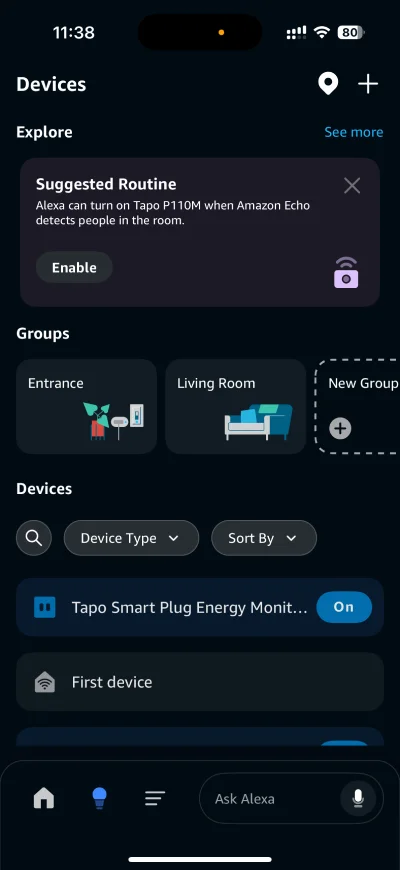
Just like Apple Home and Google Home, Alexa only provides the basic On/Off function, without energy monitoring features.
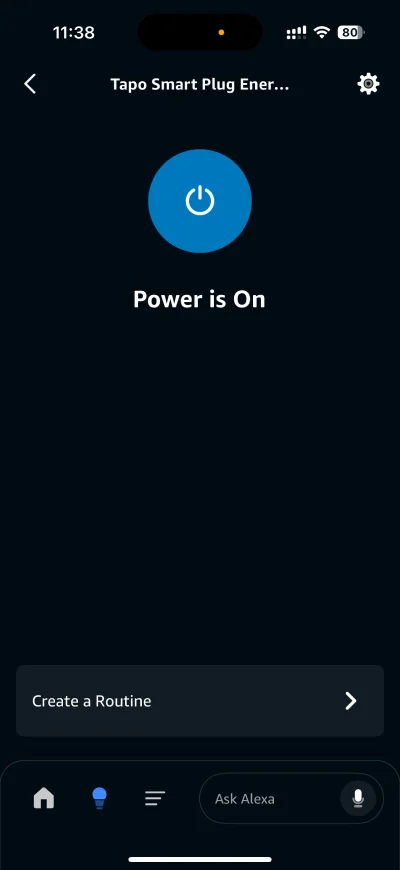
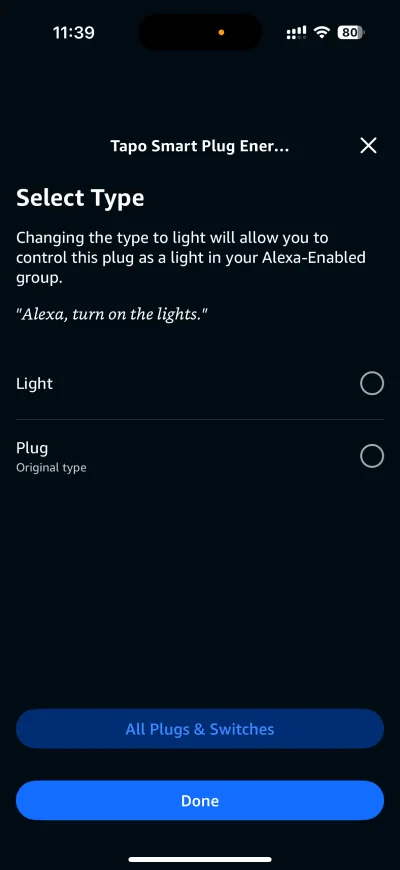
Tapping the gear icon brings up the settings screen, which provides users with the option to Enable/Disable the plug, and change its device type to either Light or Plug.
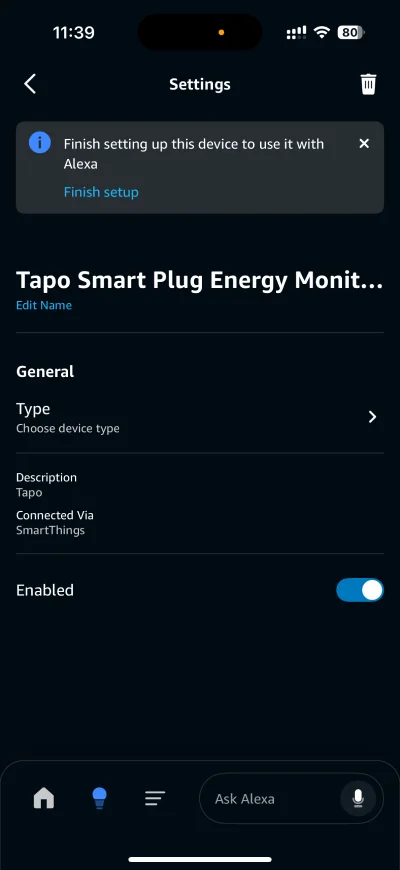
Changing the device type to Light allows you to control the P110M plug as a light in your Alexa-enabled group. This means you can say something like “Alexa, turn on the lights” to control the plug.
Setup on Samsung SmartThings
To add a Matter device such as the Tapo P110M to SmartThings, you’ll need one of the following hubs.
- Aeotec Smart Home Hub 2
- Aeotec Smart Home Hub
- SmartThings Station
- SmartThings 2018 Hub (IM6001-V3P01)
- SmartThings 2015 Hub (STH-ETH & others)
The P110M was automatically detected upon opening my SmartThings app, and set up was completed quickly and seamlessly.
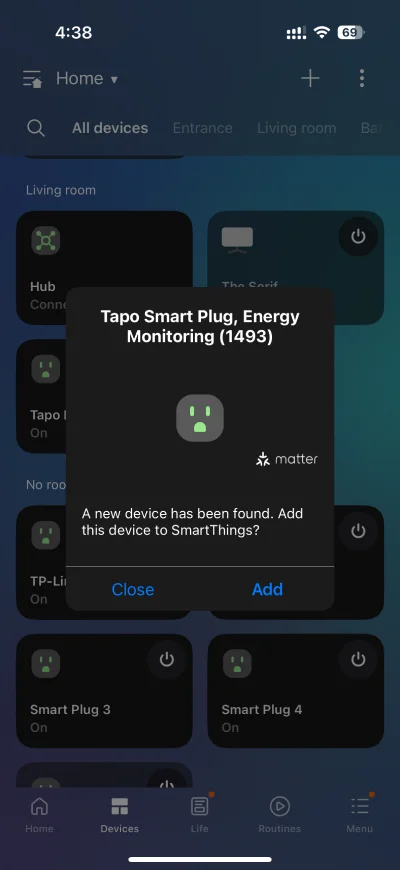
If you add the P110M to the Tapo app, it will also be automatically added to SmartThings via the Tapo integration.
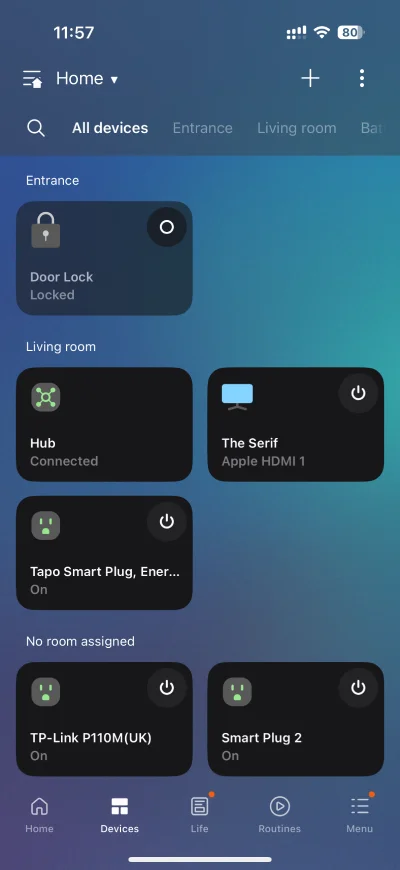
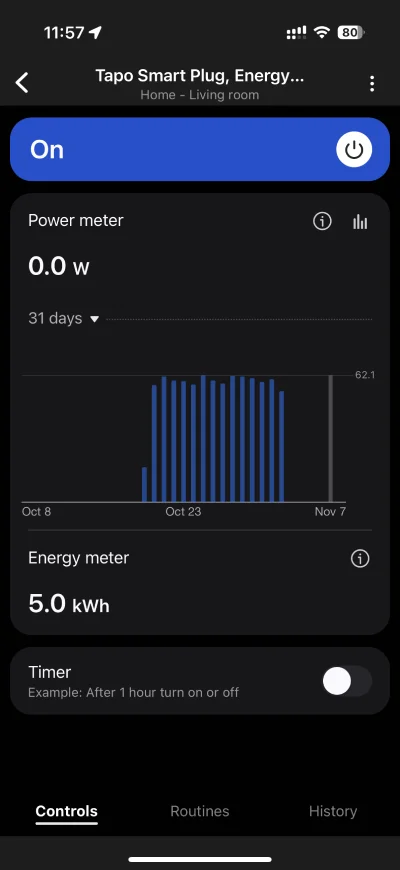
SmartThings provides basic On/Off control, a Timer function, and the much-anticipated energy monitoring capability. This monitoring tracks both Power (W) and Energy (kWh), with the power meter retaining historical data for up to 31 days.
Setup on Home Assistant
To add the P110M as a Matter device in Home Assistant, the Matter integration will need to be installed first. After that, head over to Settings > Devices & Services > Devices, select the Add Device button, and follow the on-screen instructions to complete setup.
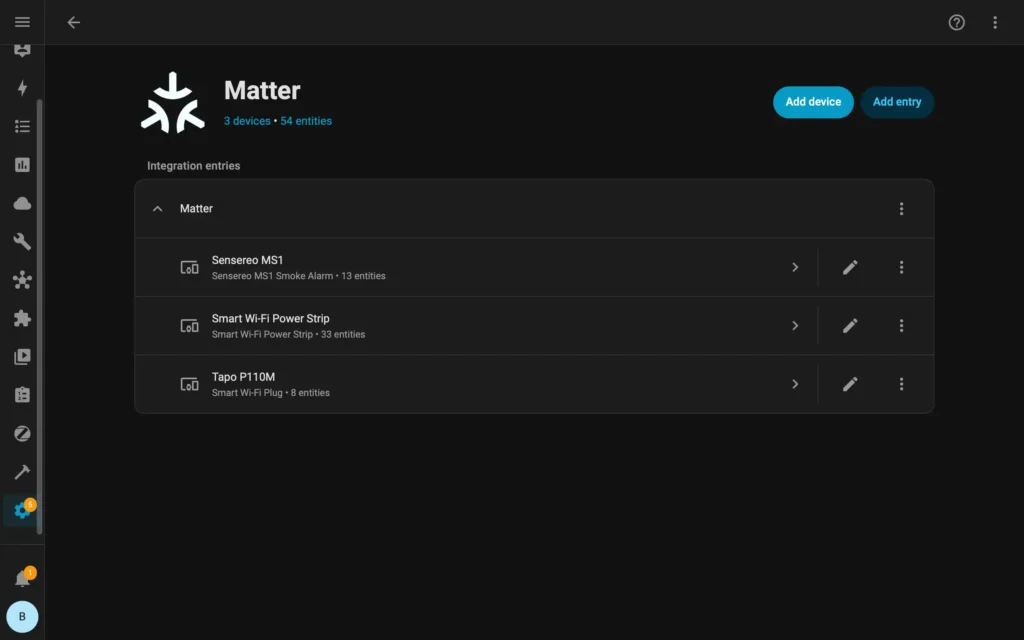
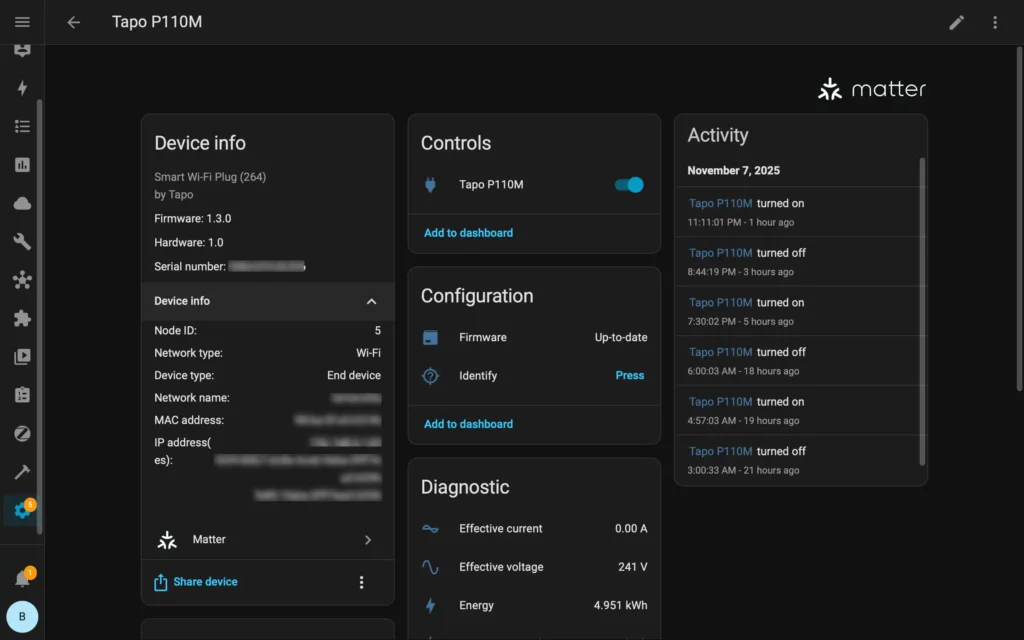
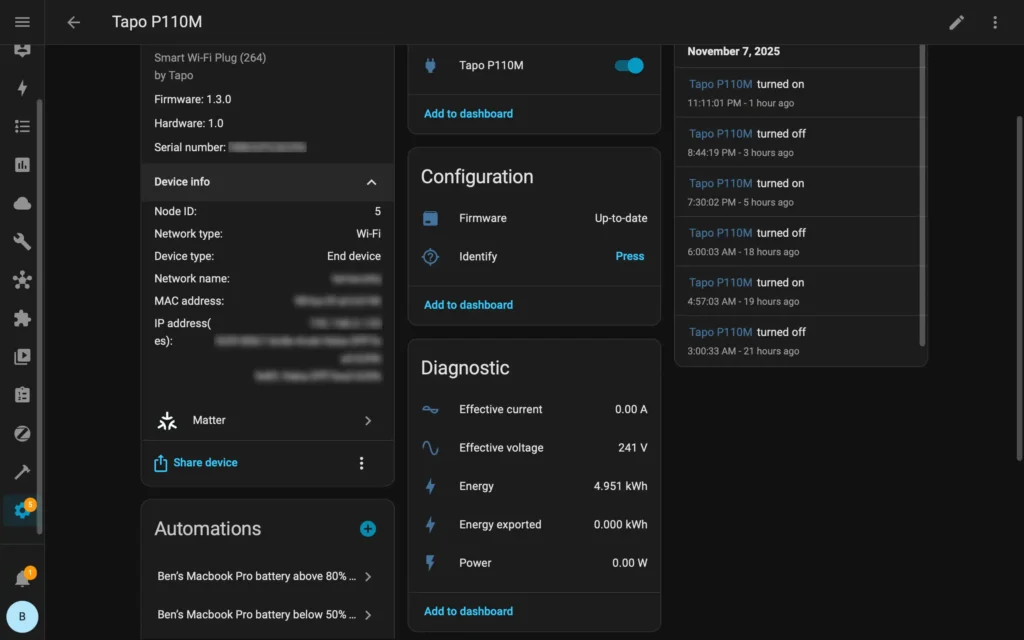
Among all the Matter-compatible ecosystems that I tested, Home Assistant provided the most comprehensive set of Matter features.
Matter Features across Ecosystems
Since Matter features are not uniformly adopted across all smart home ecosystems, here is a quick overview comparing the P110M’s available functionality on Alexa, Apple Home, Google Home, SmartThings, and Home Assistant. At present, only Home Assistant and SmartThings report energy and power usage, with Home Assistant being the only platform that reports current and voltage data.
|
Feature |
 |
 |
 |
 |
 |
|---|---|---|---|---|---|
|
On and off |
✓ |
✓ |
✓ |
✓ |
✓ |
|
Energy (kWh) |
✓ |
✓ |
|||
|
Energy exported (kWh) |
✓ |
||||
|
Power (W) |
✓ |
✓ |
|||
|
Current (A) |
✓ |
||||
|
Voltage (V) |
✓ |
Setup on Tapo app
In addition to Matter-compatible ecosystems, the P110M can also be controlled on the Tapo app, available on iOS and Android. The Tapo app automatically discovers the Tapo P110M and displays a prompt to set up the plug, which was seamless and quick.

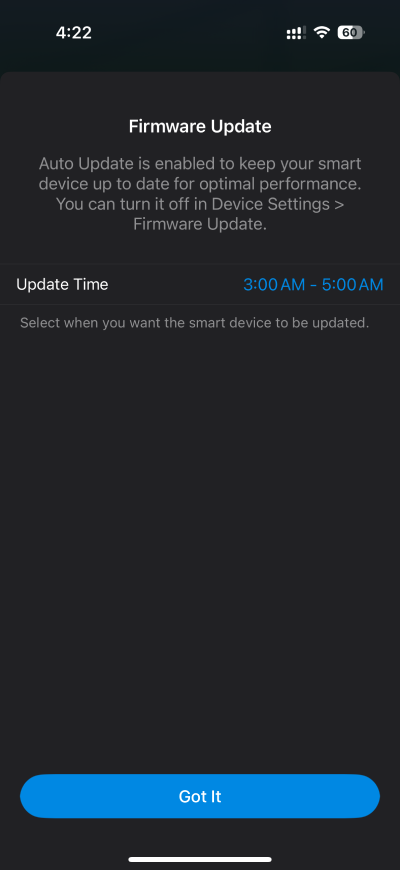
During setup, the app will prompt you to update the firmware if a new version is available. Once setup is complete, you can then select an automatic update schedule for all future firmware releases.
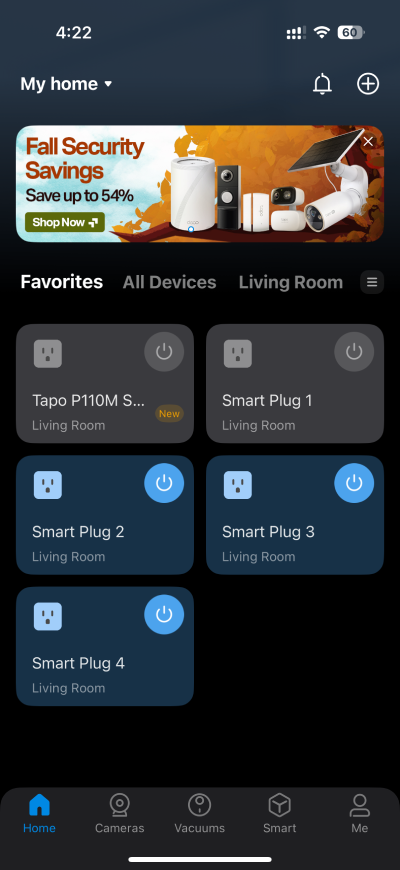
Once the P110M setup is complete, the plug will appear in the app, ready for use.
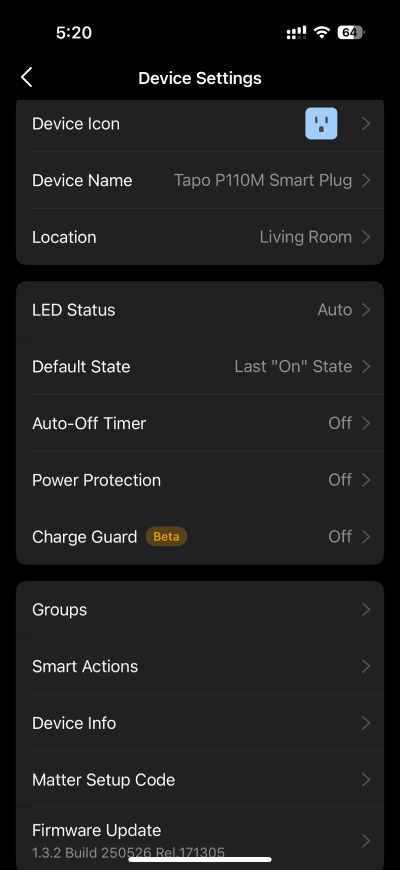
The Tapo app offers various options under Device Settings, including the ability to customize Device Icon, Device Name, and Location.
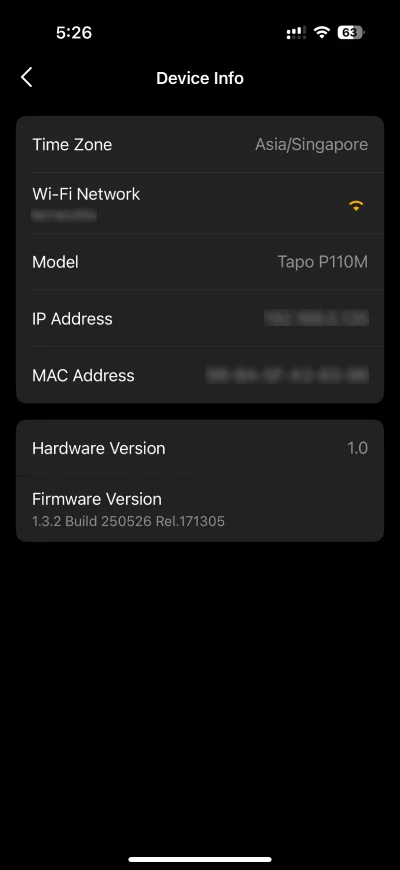
Device Info screen provides useful information for the P110M, including Wi-Fi network name, IP Address, and Firmware Version.
The Tapo app also allows users to generate a Matter setup code.
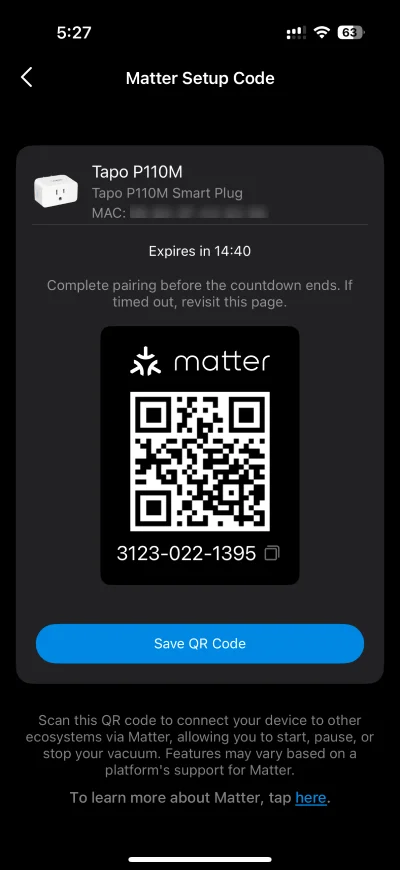
The next section will examine the other settings and features available.
Features & Performance
Power Rating
The Tapo P110M has a maximum load rating of 2,990 W and 13 A, and is designed to support resistive loads such as heaters, kettles, and electric irons. A list of supported load types for the P110M is provided on Tapo’s website.
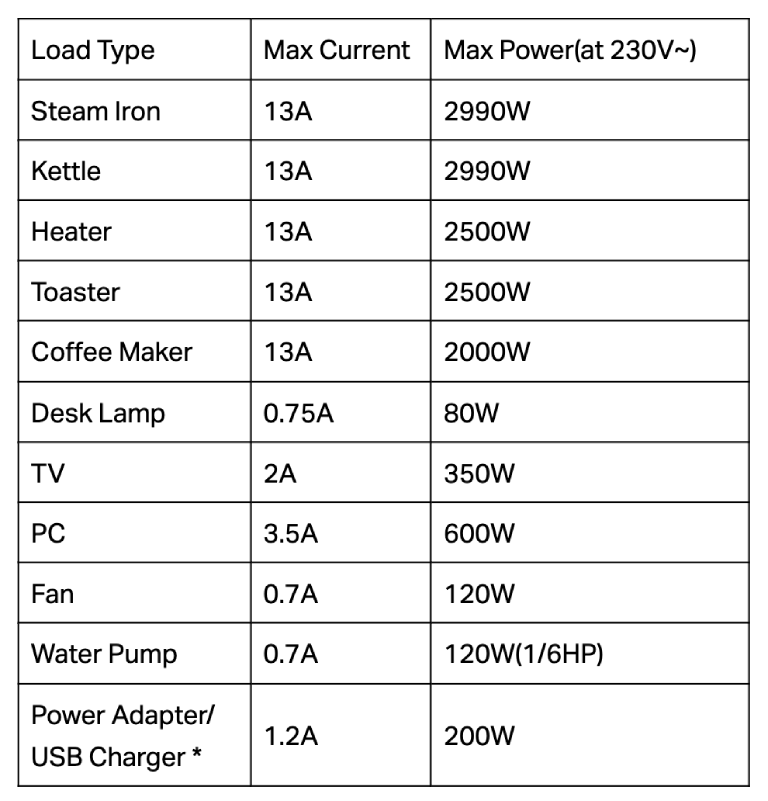
*Power Adapters/USB Chargers under 75W do not support PFC (Power Factor Correction), while PFC can reduce the inrush starting current generated at the moment the relay is turned on. Therefore, using a 60-75W Power Adapter/USB Charger may damage the device due to excessive current.
The P110M is not designed for inductive loads such as appliances with motors, including air conditioners, refrigerators, and washing machines. When these devices start up, they draw a sudden, large surge of power that can exceed the plug’s rated current and potentially cause damage, which may void the warranty.
EV charging is also not supported since it typically has a higher power, and its charging current required exceeds the rated current of the plug.
Tapo advises against plugging a power strip into the P110M, as the combined current draw of multiple devices may cause an overload.
Safety Features
The P110M comes with a number of safety features and has undergone rigorous quality inspections to receive CE and UKCA certification. It uses UL94-V0 flame-retardant materials to minimize burn risks.
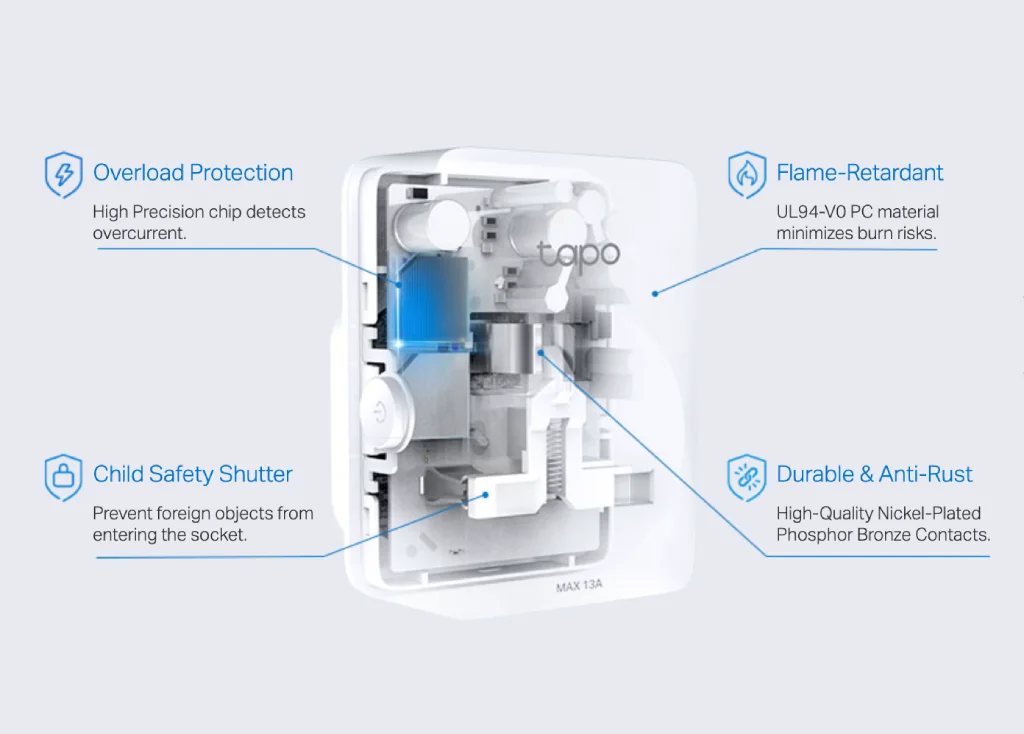
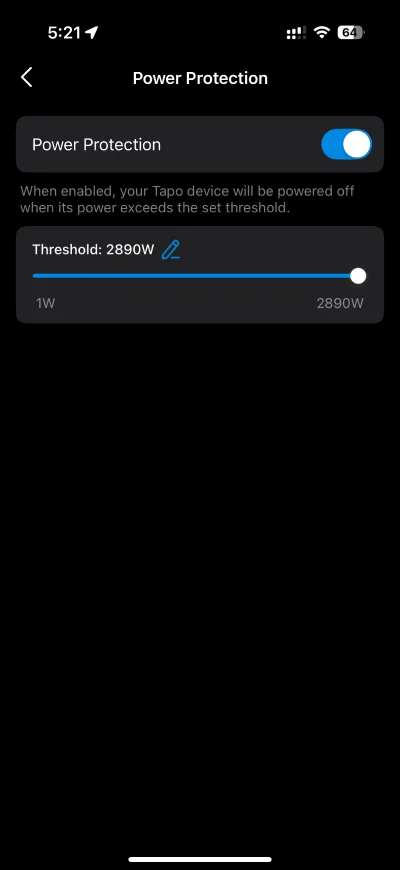
It is equipped with a high-precision chip that detects overcurrent. The Power Protection feature on the Tapo app allows a connected device to automatically shut off when the power usage exceeds the set threshold.
Child safety shutters prevent accidental electric shocks when curious little ones start poking around at the plug.
High-quality nickel-plated phosphor bronze contacts provide reliable anti-rust properties to the Tapo P110M.
Power Protection allows users to power off the P110M when its power exceeds a set threshold.
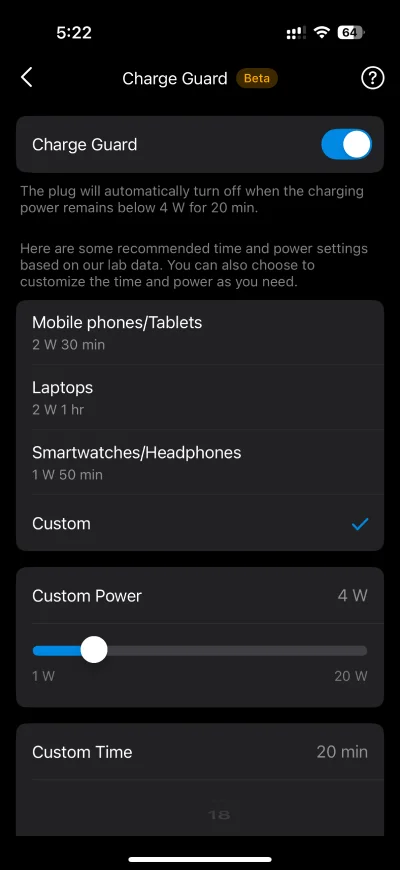
Charge Guard automatically turns off the P110M when the charging power remains below 4W for 20 minutes.
Energy Monitoring
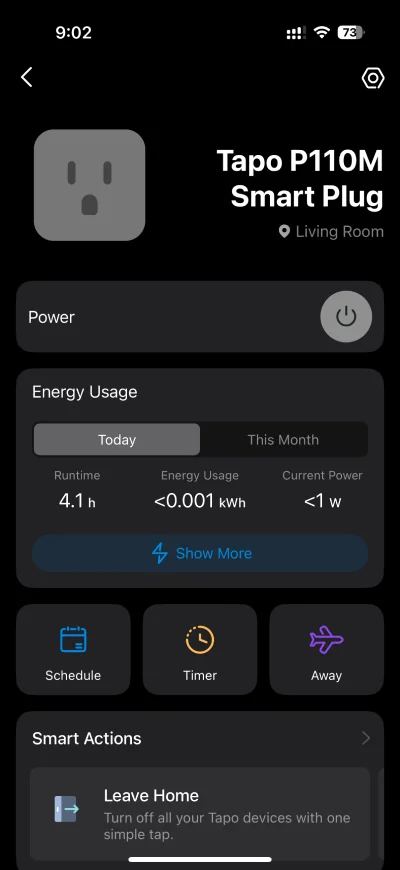
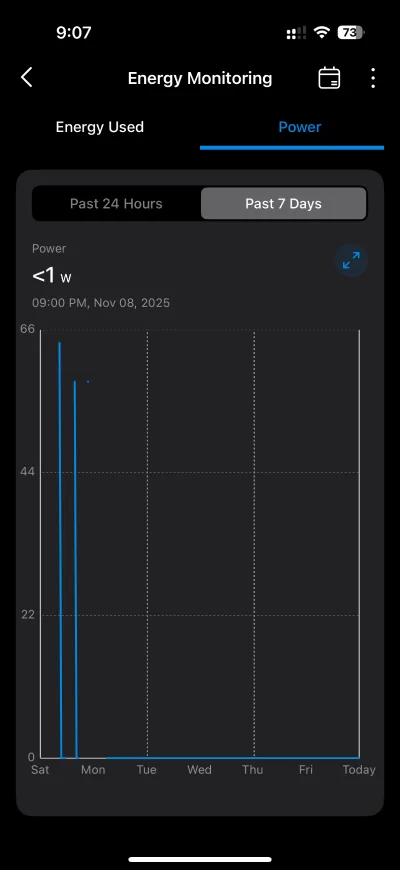
The Tapo app offers comprehensive insights into the power consumption on the P110M with intuitive and straightforward data visualizations. Users are provided with runtime, energy usage, and current power data for the current day and month.
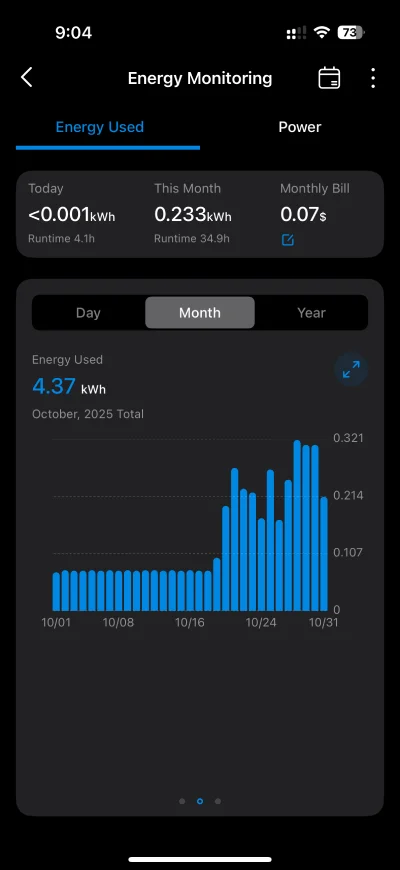
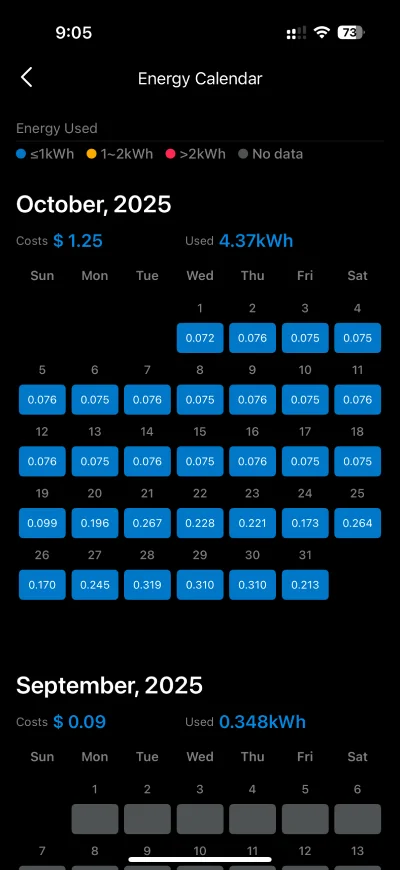
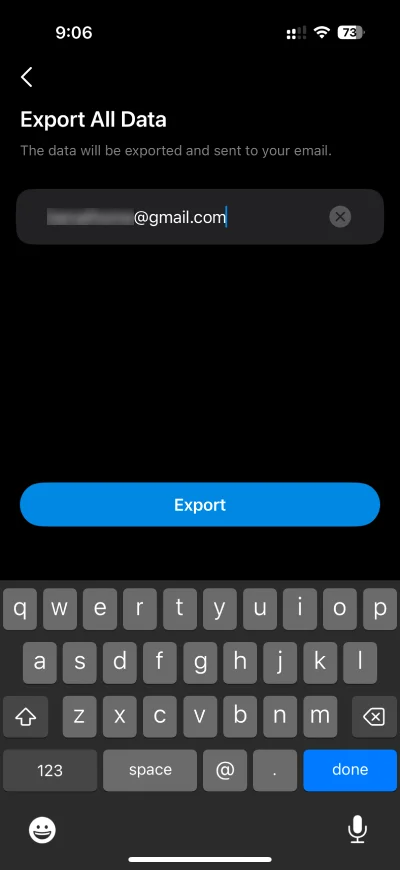
Users also have the option to export energy and power data into Excel spreadsheets, which is delivered via email.
Recently, the P110M has also been updated to Matter version 1.3, which supports energy monitoring and is available on Matter-compatible ecosystems such as Home Assistant and SmartThings.
Energy Bill
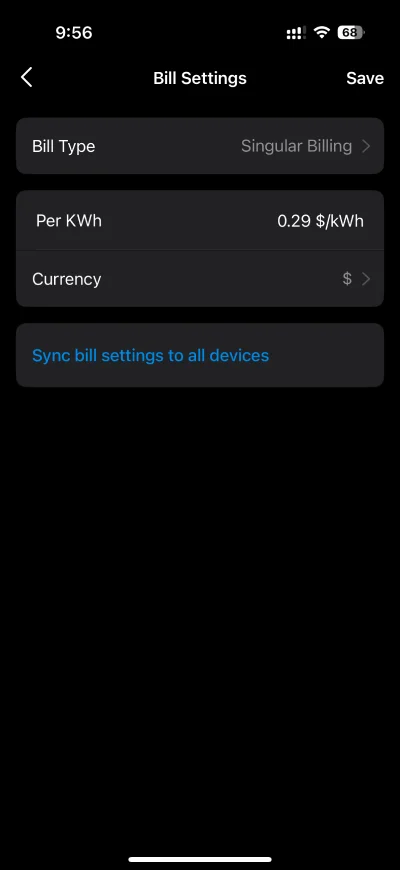
The Tapo app allows you to set your electricity rate to estimate your energy bills, and supports:
- Singular Billing: Your bill will always be calculated at the same rate
- Periodic Billing: Your bill will be determined by how much energy you use and when you use it. The prices and peak times vary based on the season and day of the week.
Use the P110M to automatically turn on your power-hungry devices during off-peak periods, lowering your energy bills.
Automations
The Tapo app provides several powerful automation features to control the P110M.
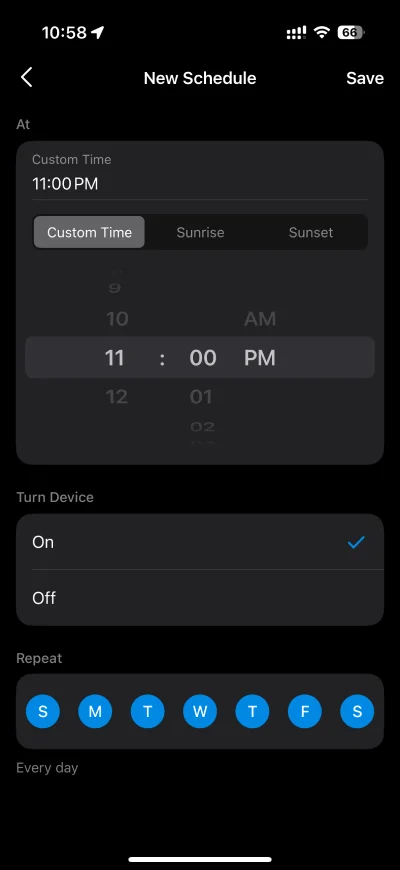
Schedule allows you to automatically turn on/off your smart plugs according to your daily routine and preferences.
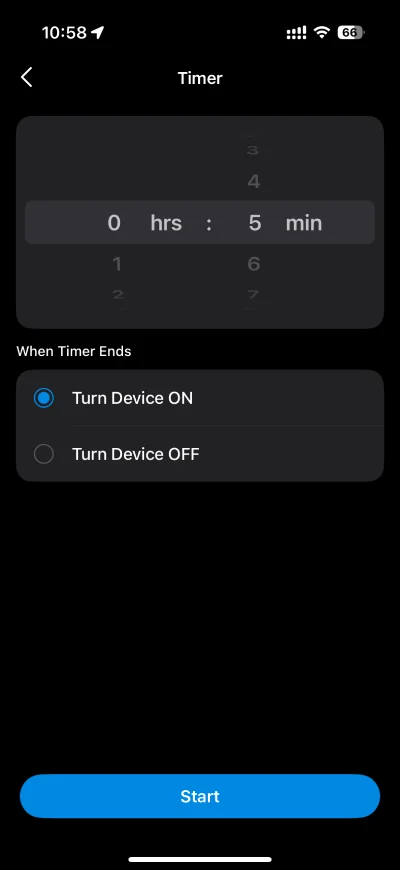
Auto On/Off Timer allows users to control power to the plug after a specified period, e.g. cut off power to the connected device after it is left on for 10 minutes. Works well with curling irons, space heaters, and more, saving energy and reducing fire risks.
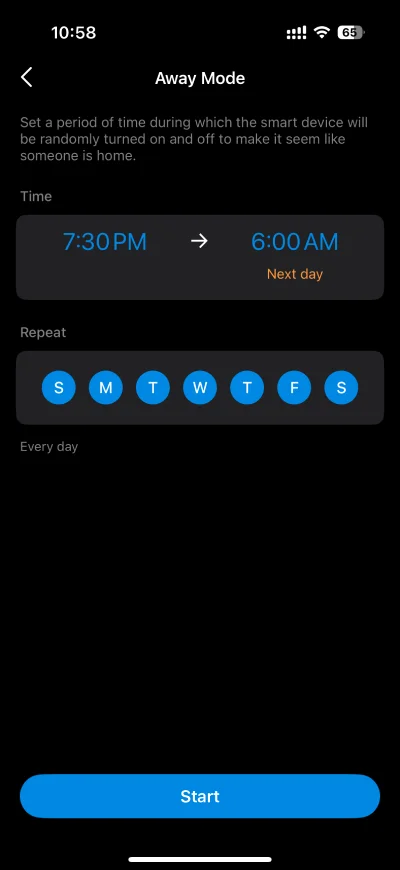
Away Mode intelligently simulates someone being home by turning the plugged-in device (like a lamp) on and off, making it appear like someone’s home.
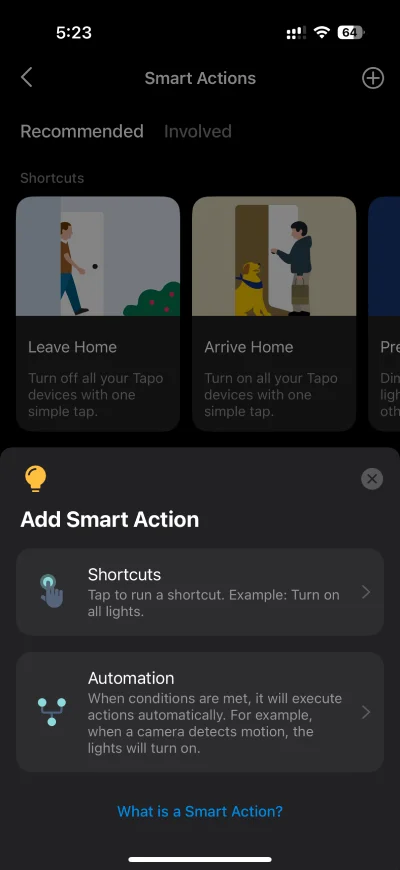
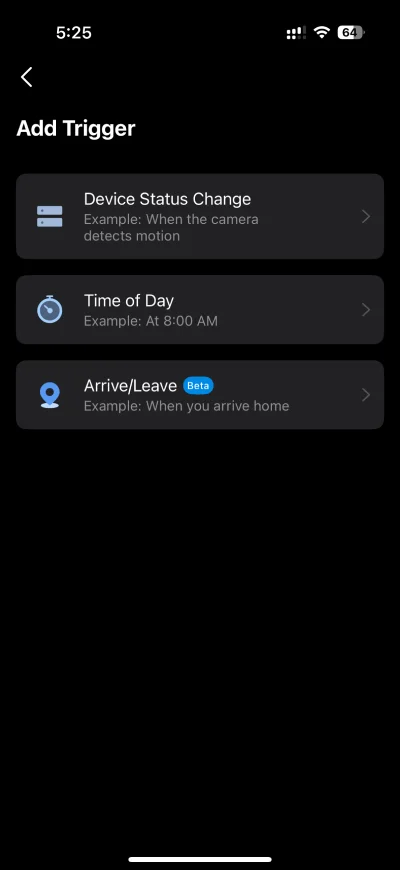
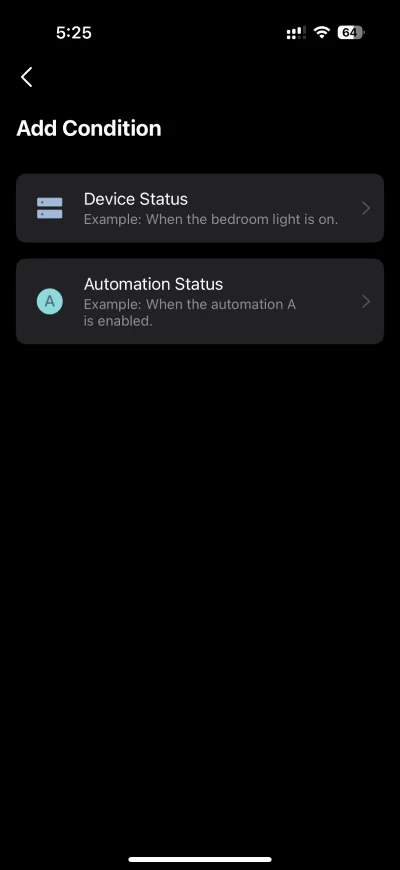
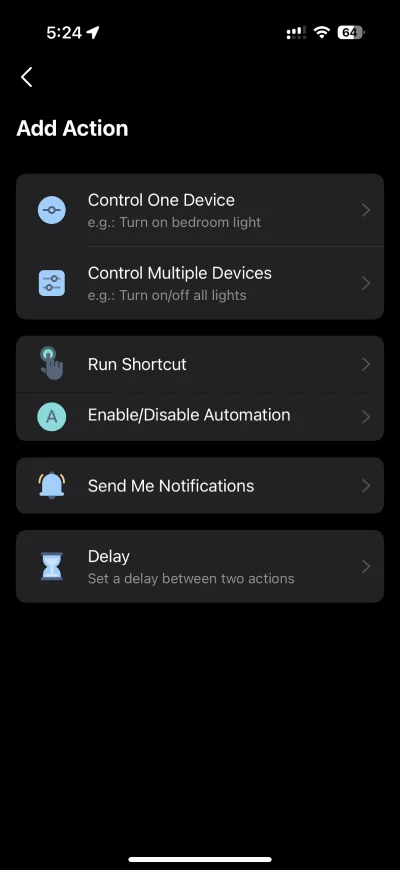
There’s also a comprehensive automation capability located within the Tapo app’s Smart Actions feature.
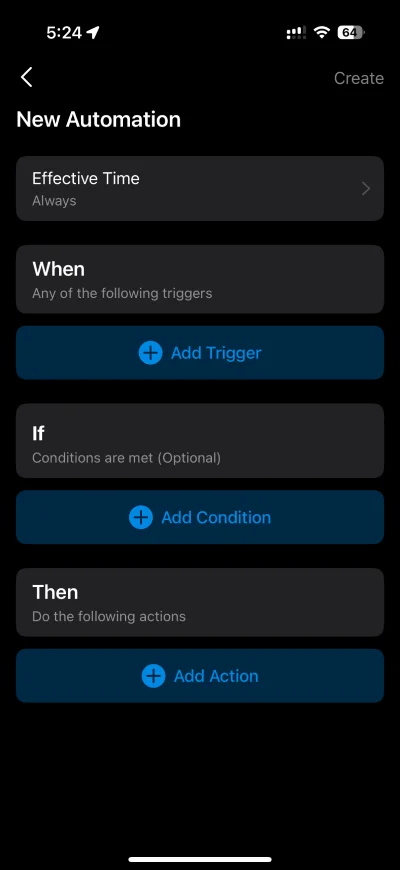
With Smart Actions automation, users can define multiple Triggers, Conditions, and Actions.
LED Status
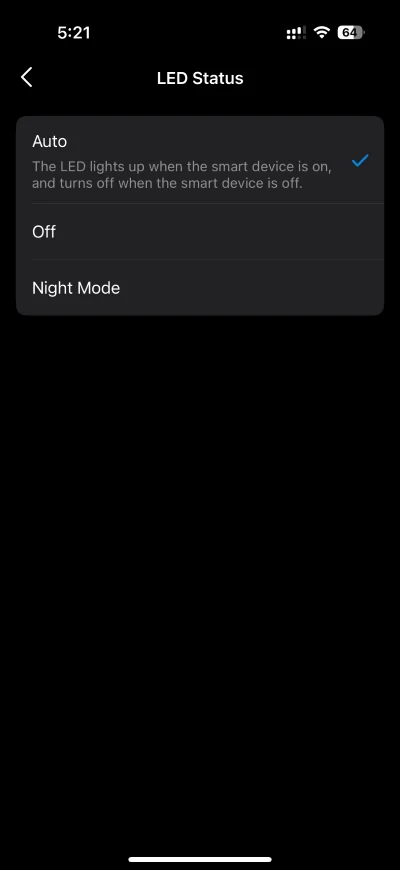
The Tapo app allows users to set the P110M’s LED to one of the following options:
- Auto: LED lights up when the plug is on, and turns off when the plug is off
- Off
- Night Mode: LED will be off during the specified period every day
Last Device State
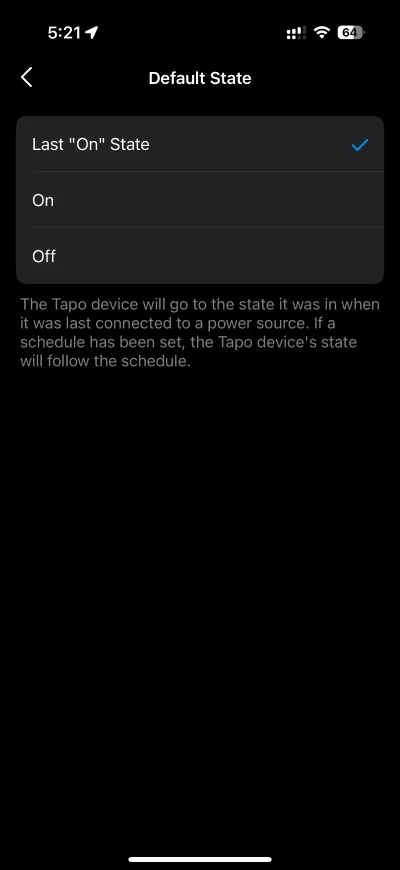
The Tapo app provides flexibility in managing power restoration after an outage. Users can configure the P110M plug’s power-on behavior to one of three settings:
- Previous State
- Always Off
- Always On
Value for Money
The Tapo P110M retails at SGD 19.90 on their official Shopee and Lazada stores, a reasonable price to add smart capabilities to regular appliances. In addition, it offers a compelling value proposition over its older siblings (P110, P100) due to its Multi-Admin capability.
Multi-Admin is a Matter-enabled feature that allows the plug to be used across multiple smart home ecosystems simultaneously (like Apple Home, Google Home, and Alexa). This makes it the superior choice for households with mixed technology devices, such as those using both iOS and Android platforms, ensuring every family member can control the plug with their preferred app.
Being a Matter-certified device ensures futureproofing of your investment and brings the device compatibility to more smart home ecosystems, most notably Apple Home. More importantly, a Matter-certified device runs locally without dependency on cloud services for maximum reliability and privacy.
The user-friendly Tapo app adds additional value by offering many useful features, including energy monitoring, bill tracking, and various automation capabilities.
Final Thoughts
There’s a lot to like about the Tapo P110M. It is a solid smart plug that’s simple to use, performs reliably, and is packed with useful features you’d want from a smart plug.
Being a Matter-certified device, it’ll work across any Matter-compatible ecosystem, providing users with unprecedented flexibility to switch between smart home ecosystems or use it across multiple ecosystems at the same time, all locally controlled without depending on a cloud service.
Its compact design means that it will fit in most outlets without blocking adjacent sockets, and is available in multiple plug types, from the UK, US, EU, to AU versions.
The feature-rich Tapo app allows you to track energy usage, enable power protection to prevent overloading, and set up handy automations such as timers, schedules, and “away mode” to simulate home occupancy while you’re away on vacation.
After testing the Tapo P110M over several weeks, I’ve now made it a permanent feature in my smart home, helping me manage charging of my MacBook, turn on charging when battery is below 50% and turn off charging over 80%.


Leave a Reply