

What would you do if you had regular window blinds or roller shades that you’d like to control with your smart home? Replacing them with smart blinds is an option, but if you have a large number of them, the cost would be substantial. What if I told you that a retrofit solution exists to “smartify” your regular blinds, and it works across major smart home platforms?
In this review, we’re covering (pun intended!) the Zemismart Roller Shade Driver MTP1, a unique device that promises to bring smart control to your existing roller blinds and shades without breaking the bank. We’ll be testing this Matter over Thread device across multiple smart home platforms from Apple Home, Alexa, Google Home, Samsung SmartThings, and Home Assistant, to give you insights into features available on each platform.
Disclosure: Zemismart kindly provided a review unit of the MTP1 Roller Shade Driver for testing. However, all thoughts and opinions shared here are entirely my own.
TL;DR
Pros
Cons
Device Specifications
Connectivity
Matter over Thread
Works With
Apple Home
Google Home
Amazon Alexa
Samsung SmartThings
Home Assistant
Dimensions
135 x 61 x 40 mm / 5.3 x 2.4 x 1.6 in
Power
Rechargeable Battery (6,400 mAH)
Rated Current
500 mA
Voltage
DC 5V/1A
Load Bearing
5.5 kg
Torque
0.6 NM
Motor Speed
22 RPM (Low)
45 RPM (Medium)
70 RPM (High)
What’s In The Box?
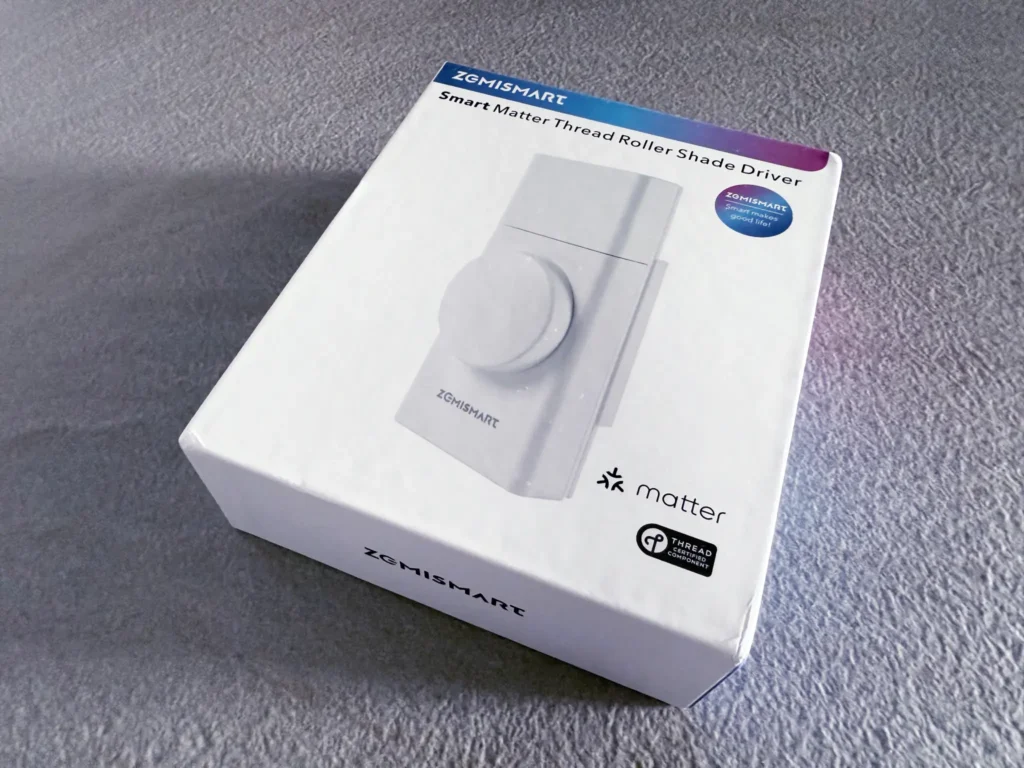
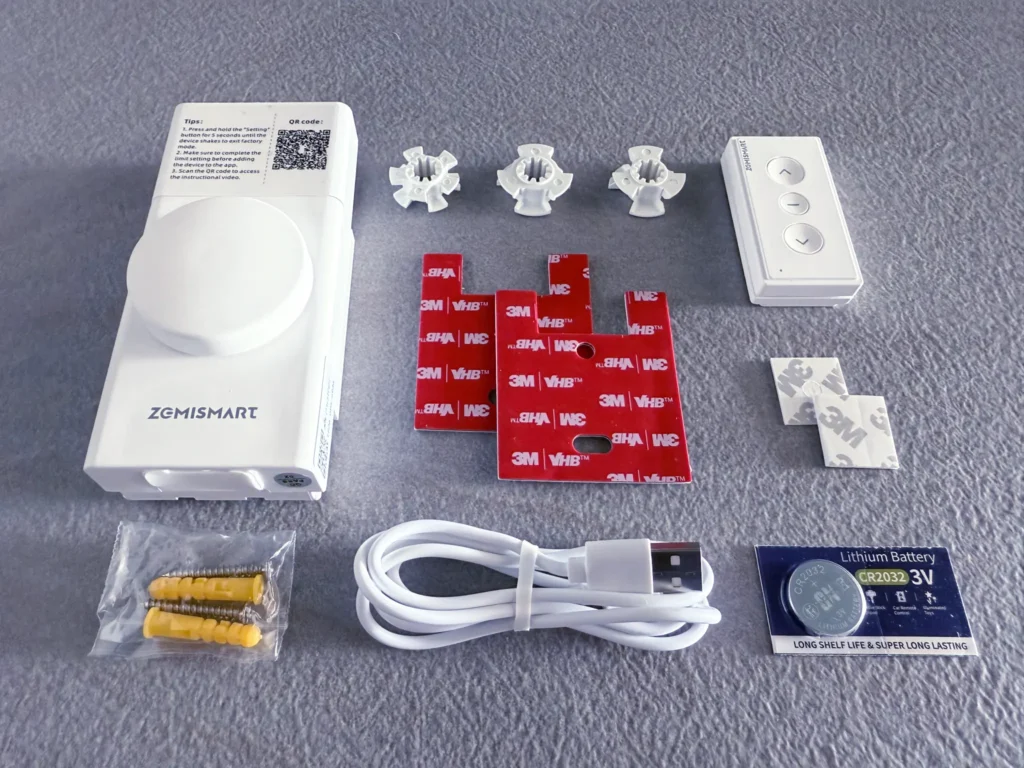
The Zemismart MTP1 roller shade driver came in a box measuring 170 x 140 x 50 mm, containing the following items:
- MTP1 Roller Shade Driver
- Removable mounting plate
- Mounting plate adhesive
- Wall plugs and mounting screws
- Bead wheels x 3 sizes
- USB-C to USB-A charging cable
- Remote control and CR2032 battery
- Remote wall mount adhesive
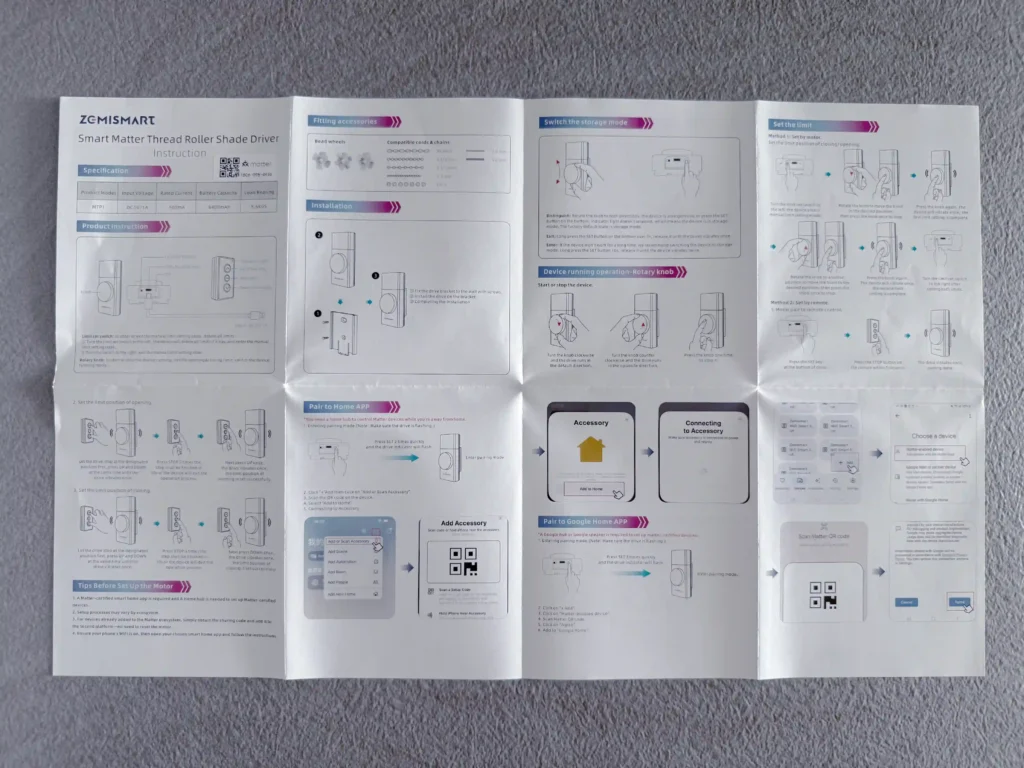
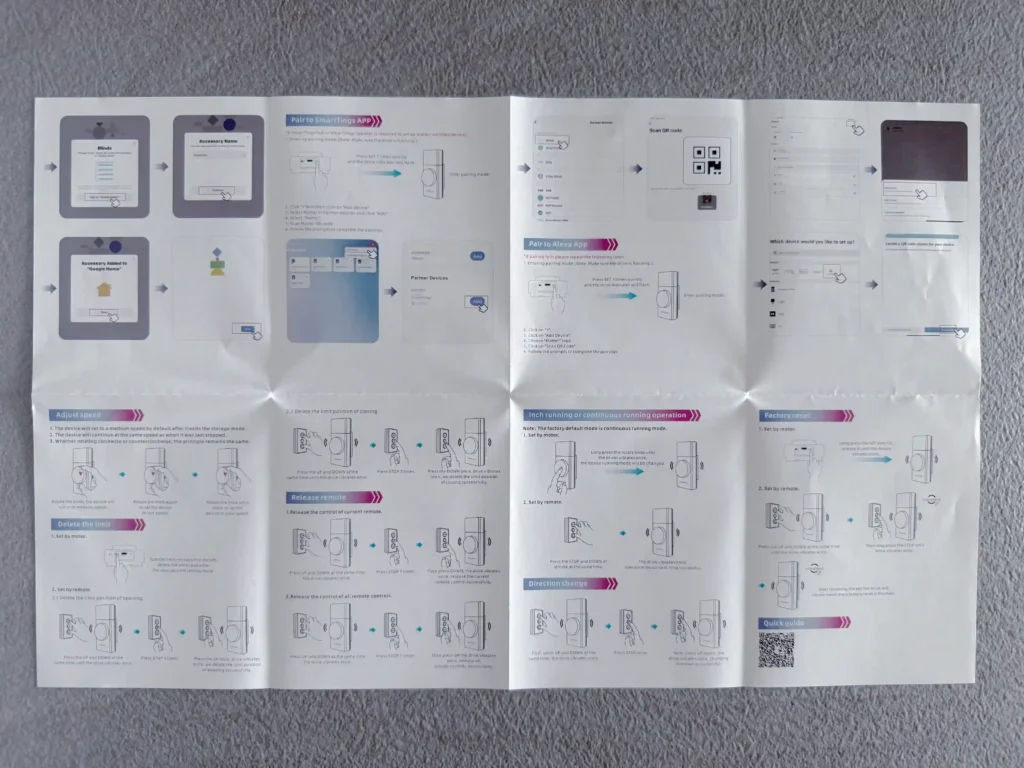
- Comprehensive user manual
Design & Build Quality
Holding the MTP1 driver, my first impression is it feels solid, weighing as much as a power bank. The main casing is a rectangular slab made of aluminium alloy with a silky smooth surface. The MTP1 is minimalist, well-constructed and has a premium feel to it.
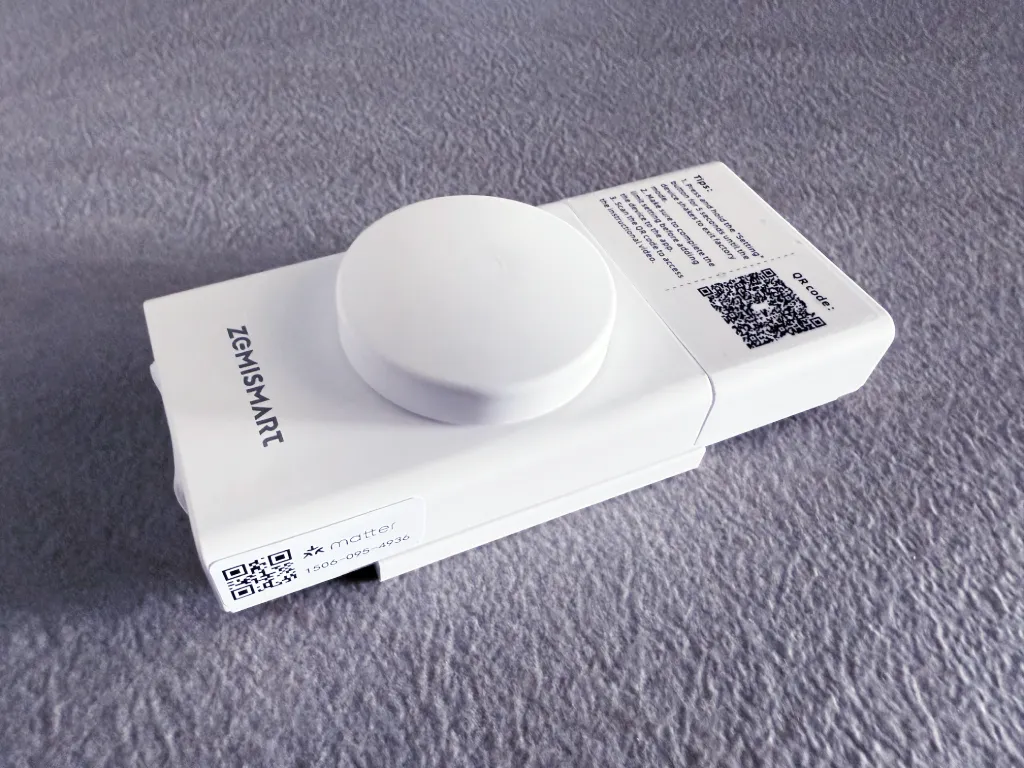
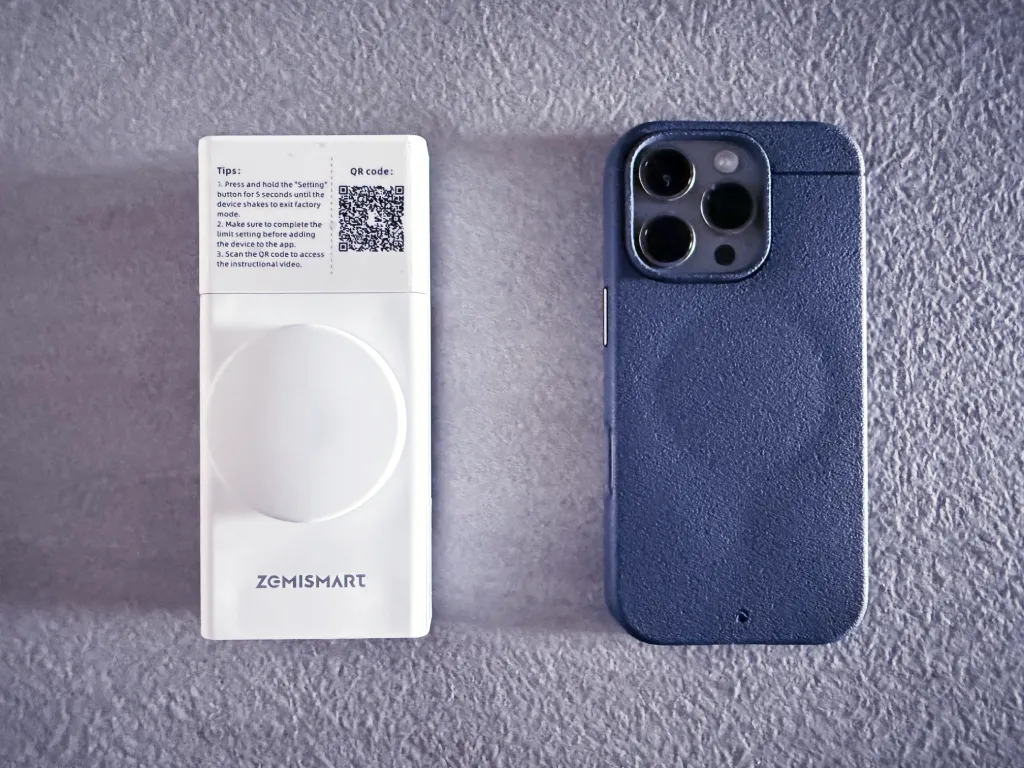
On the front of the driver is the large knob used for manual control, allowing you to open, close, or stop the blinds. The wheel operates with a light and smooth feel. Just above it is a removable cover that conceals the motor gears and the interchangeable bead wheel used to grip your roller shade’s chain.
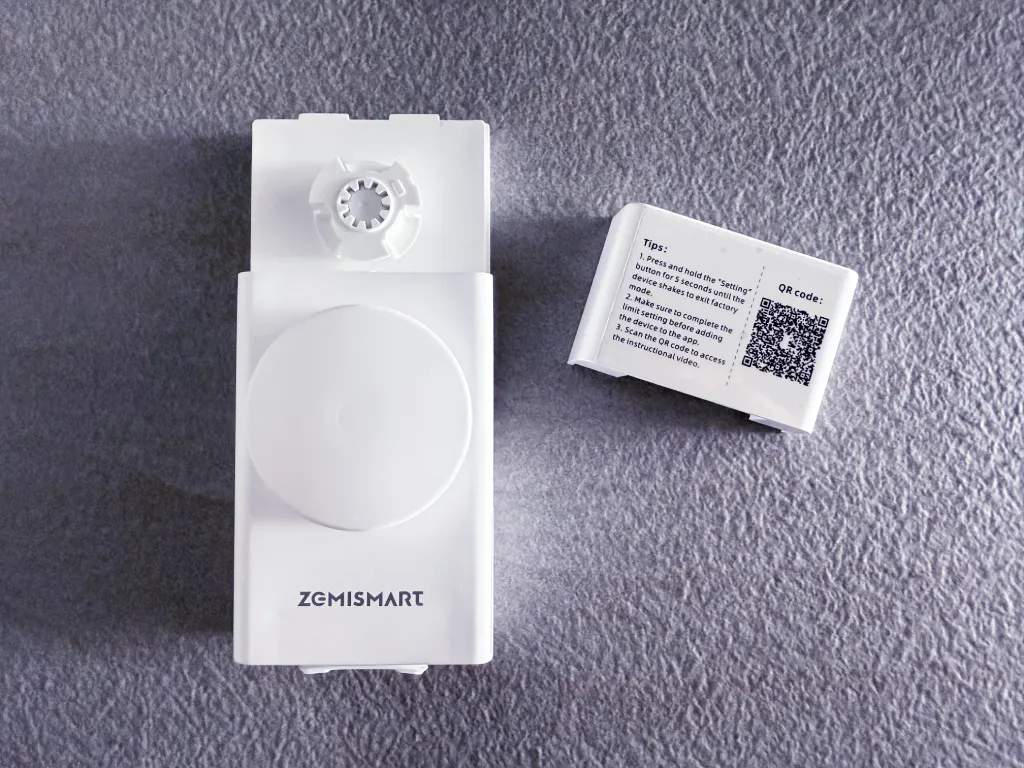
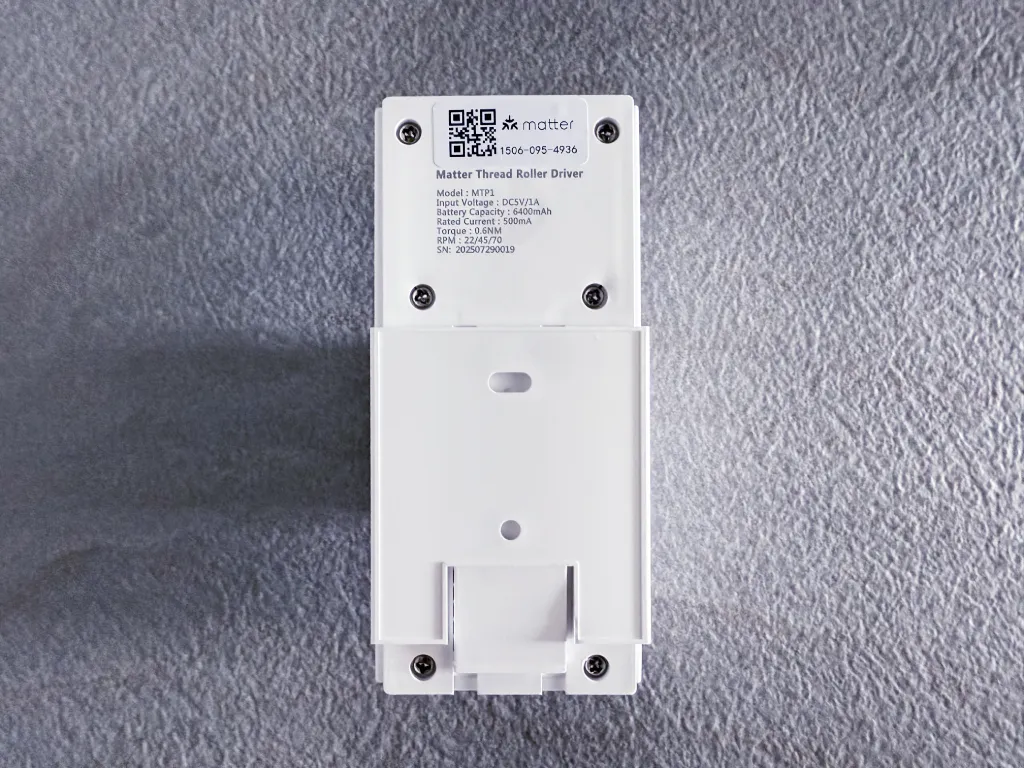
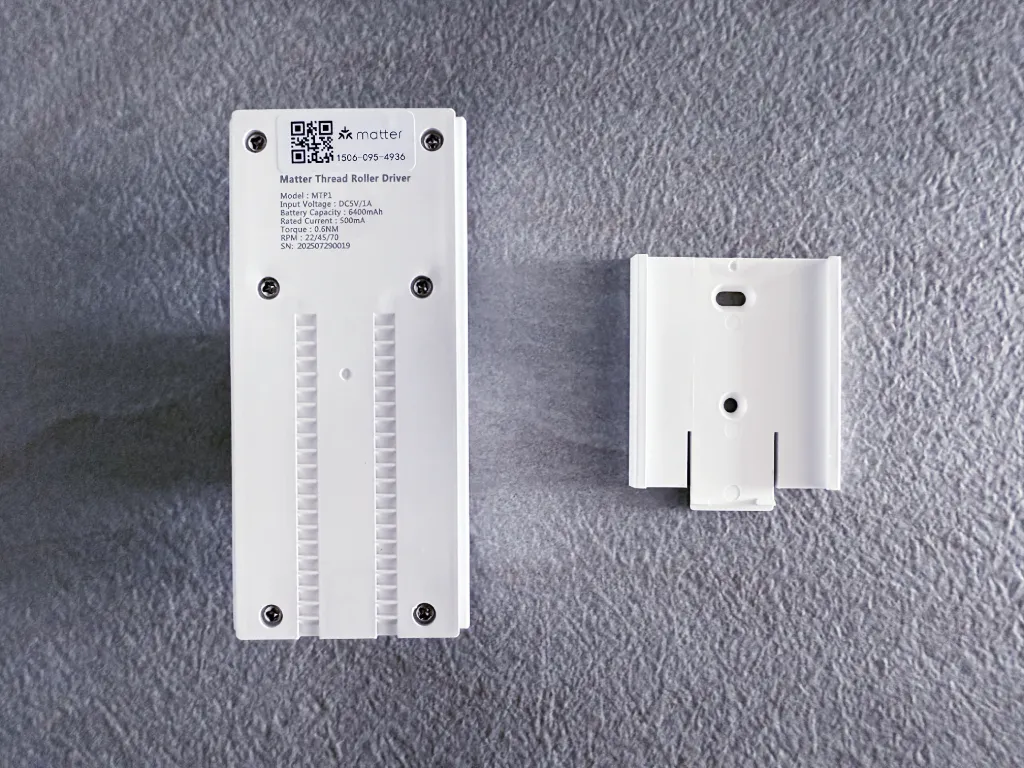
Flipping the MTP1 over reveals the two-part mounting system, consisting of a mounting plate and an adjustable track system. This clever design allows for fine-tuning of the driver’s position after the bracket is secured to the wall. This is a significant installation advantage, as it removes the need for highly precise bracket placement and makes adjusting the bead chain tension much simpler.
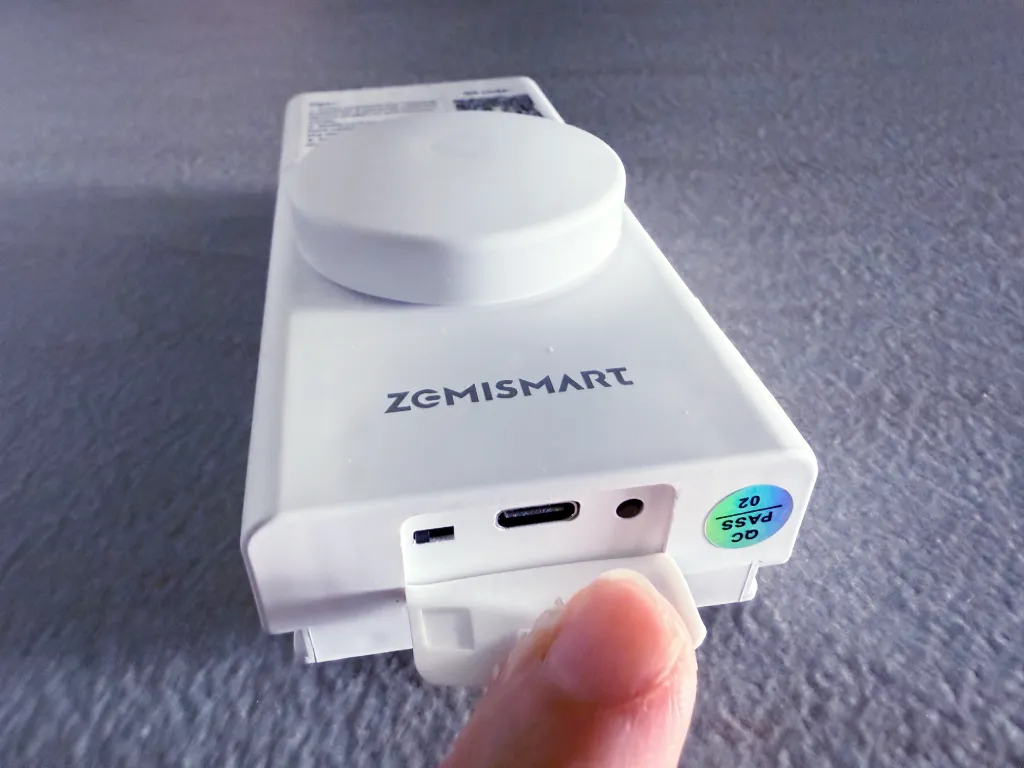
The SET button, USB-C charging port, and limit set switch are tucked away neatly at the bottom of the driver, concealed by a silicone cover.
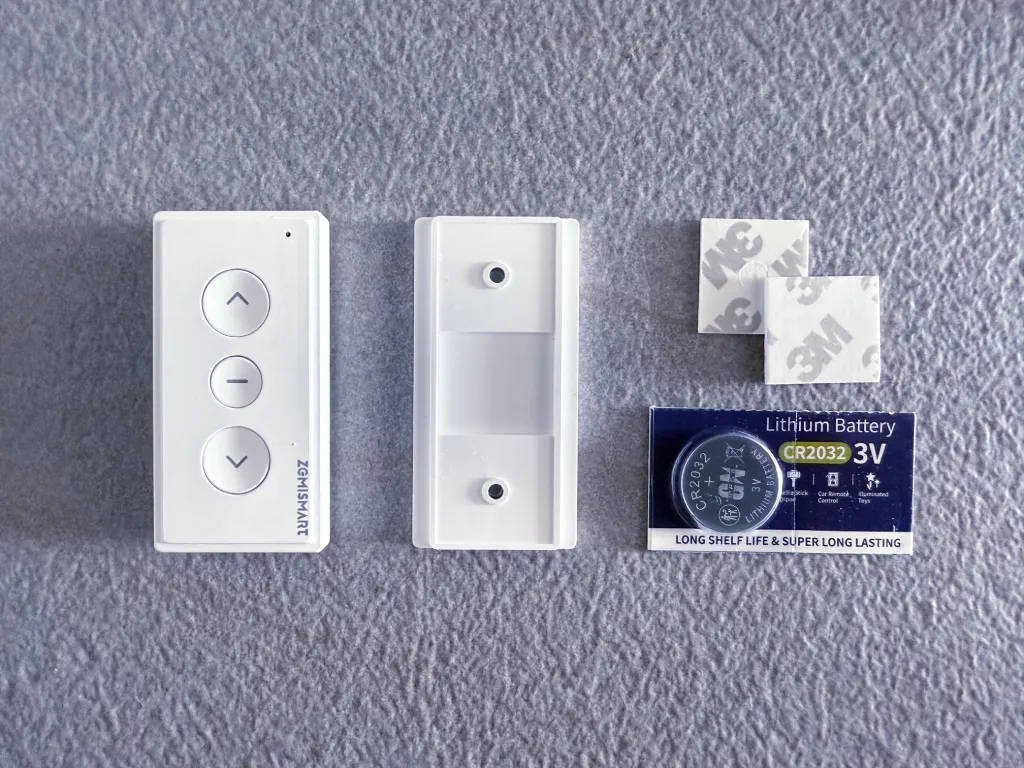
One useful addition to the Zemismart MTP1 driver is a handheld remote, giving users another manual option to control the blind motor. The remote is small, measuring 66 x 33 x 14 mm, and features a magnetic, detachable mounting plate that can be fastened using screws or adhesives provided with the package. It is powered by a CR2032 coin cell battery, also provided with the package.
Setup & Integration
To use the MTP1 driver, you first need to disable Storage Mode by holding down the SET button for 5 seconds until the device vibrates and the indicator light starts blinking, indicating that the device is now active. Now that the device is active, you can program the driver to set the opening and closing limit positions of your blinds by following the video guide provided by Zemismart below.
To pair the MTP1 driver to a smart home ecosystem, you first need to hold the SET button for 3 seconds until the indicator light starts flashing.
Set up on Apple Home
Adding the Zemismart MTP1 driver into Apple Home requires an Apple Home hub that supports both Matter and Thread. The pairing process itself is a simple, standard procedure for any Matter accessory. Upon scanning the QR code, Apple Home automatically detects the MTP1 and registers it under the appropriate blind device type.
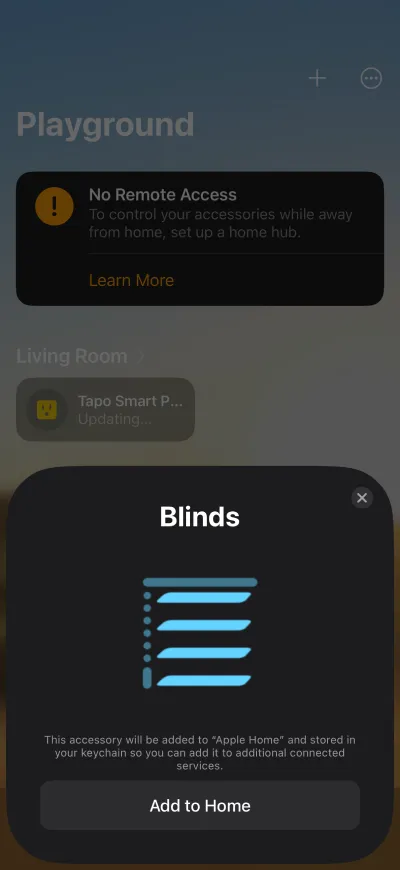
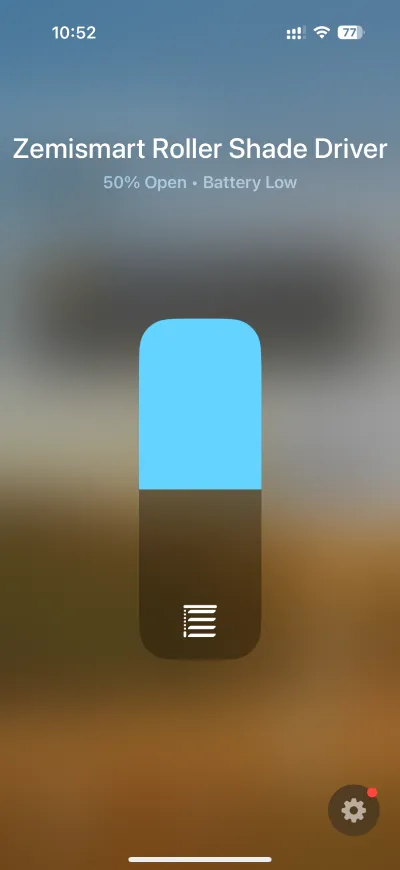
Once added, you’ll be able to open and close the blinds using Apple Home.
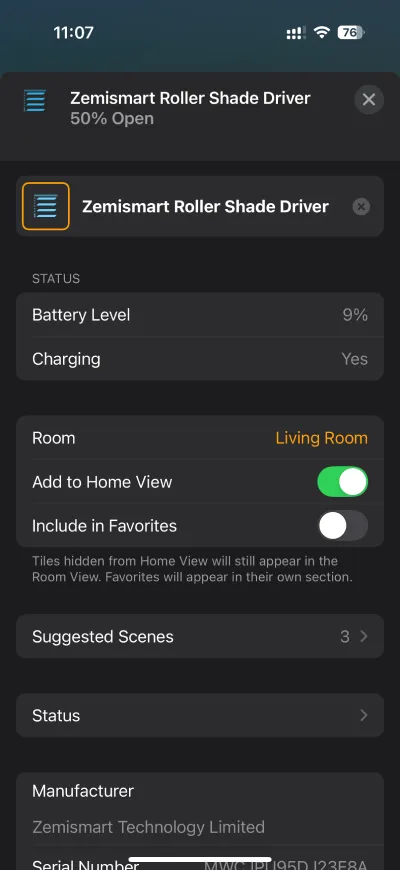
Tapping the gear icon brings you to the device settings screen, which displays Battery Level and Charging Status for the MTP1.
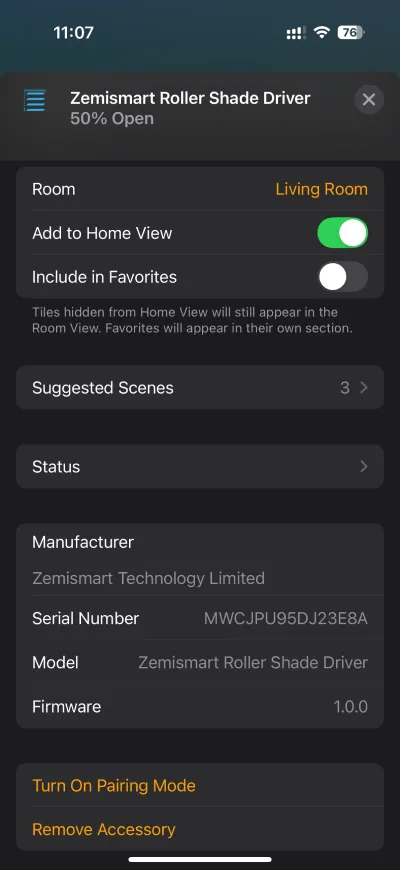
Scrolling down further, the accessory details screen also shows the manufacturer, serial number, model, and firmware version.
One thing worth mentioning is that I managed to add the MTP1 driver to Apple Home directly from my iPhone 16 Pro, which has a built-in Thread radio. This means that I can control the blind driver directly from my phone without an Apple Home hub with a Thread Border Router.
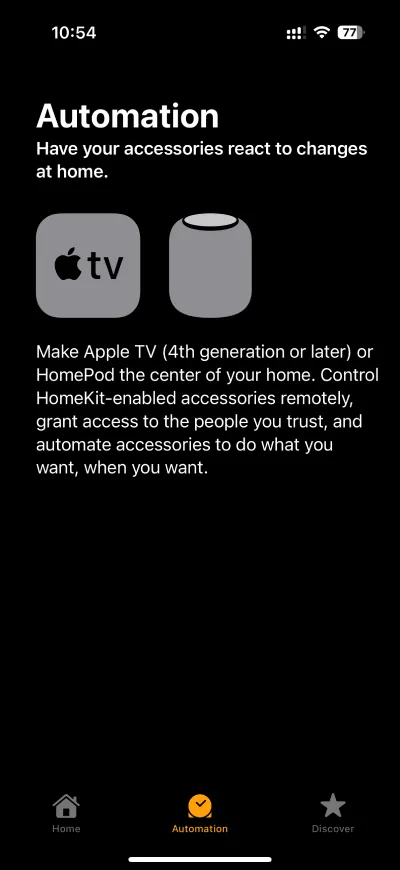
That said, adding the MTP1 to Apple Home with a Home hub such as a HomePod mini, HomePod 2nd Gen, or an Apple TV with Thread radio, provides always-on connectivity even when your iPhone is not home. It will also allow you to control the device remotely and use automations in the Apple Home app.
Set up on Google Home
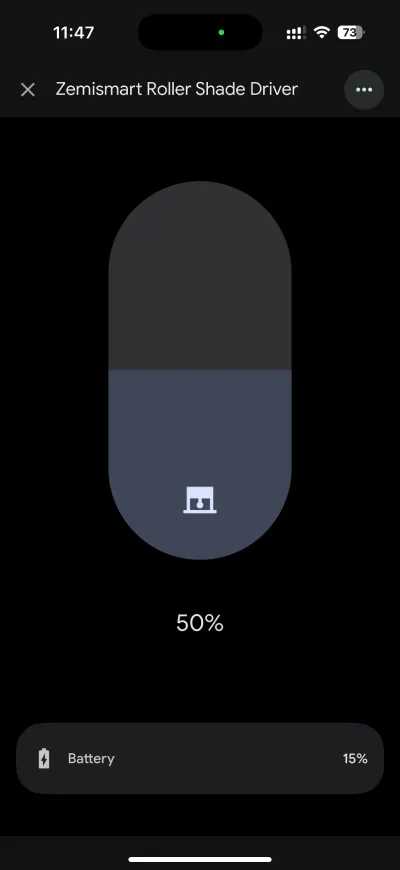
A key benefit of Matter is Multi-Admin, which allows a device to be added to multiple ecosystems simultaneously. Immediately after adding the MTP1 driver to Apple Home, I successfully used the Matter pairing code generated by the Apple Home app to add it to Google Home. Google Home now fully supports the device, enabling me to open and close the blind driver and monitor its battery percentage.
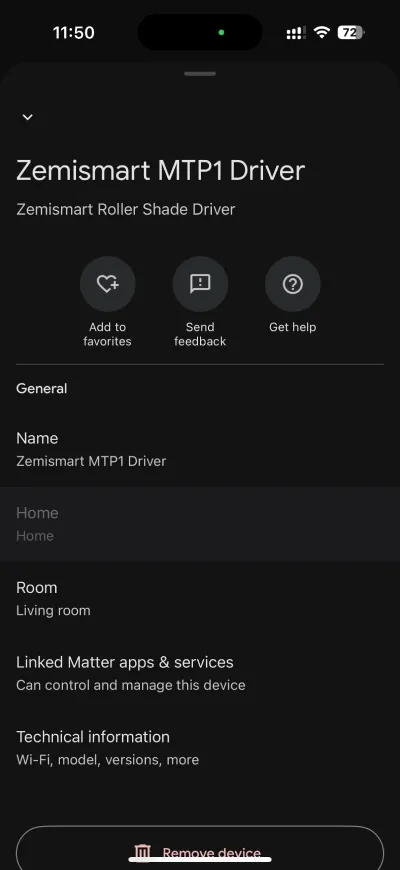
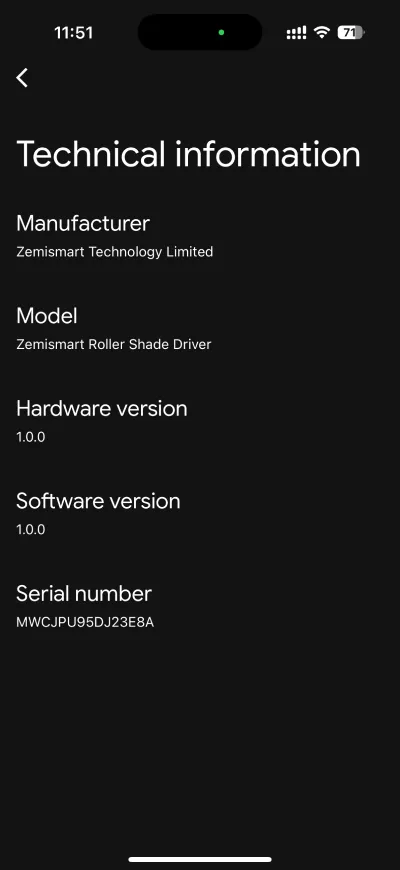
It’s worth noting that despite the MTP1 directly communicating with my iPhone’s Thread radio (instead of a Thread Border Router), the device was successfully added to Google Home without any issue. Also, the Google Nest Mini, which I am using as the Matter hub, does not have a built-in Thread radio.
Set up on Amazon Alexa
Next up was Amazon Alexa, which automatically discovered the MTP1. Pairing the device in Alexa is a simple process; you just need to follow the on-screen instructions.
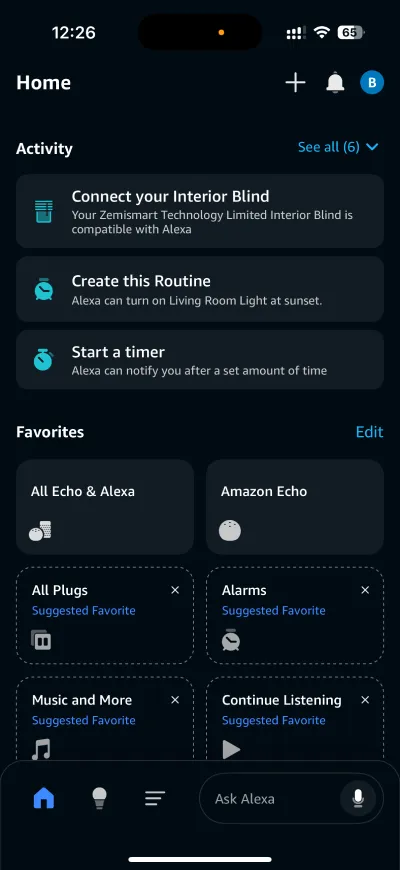
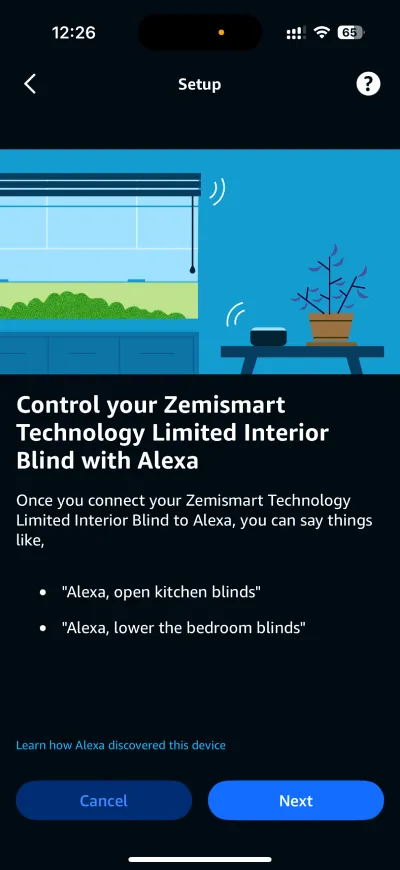
Unlike Apple Home and Google Home, Alexa provides only the basic open and close functions and does not display battery information.
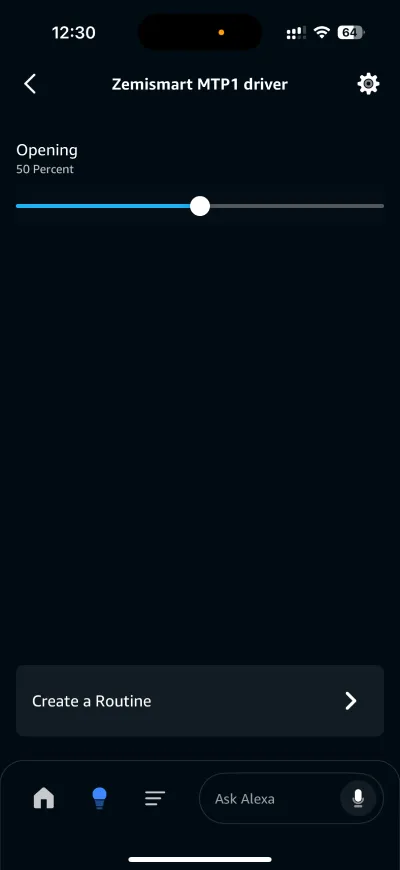
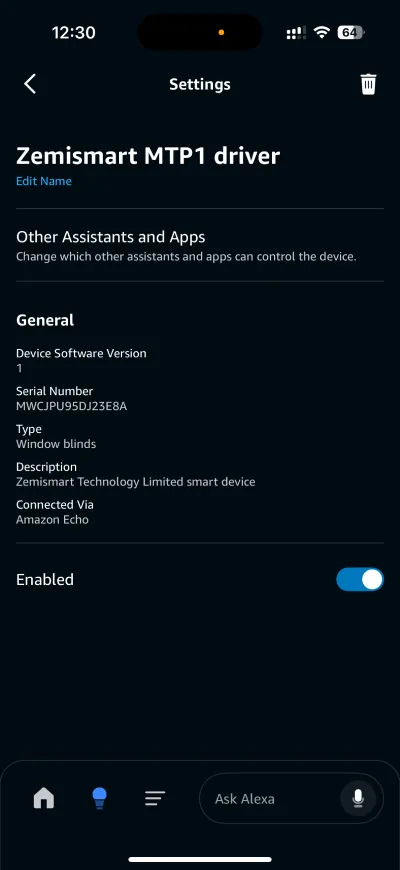
Within Device Settings, the Other Assistants and Apps section allows you to view all connected Matter ecosystems and generate a new setup code. You can also access detailed device information or disable the device.
Set up on Samsung SmartThings
The Zemismart MTP1 driver was not automatically discovered, so I had to add it manually using the standard SmartThings device pairing method. This process was completed very quickly, mirroring my seamless experience with the other ecosystems.
SmartThings offers a comprehensive set of features; besides the standard Open and Close functions, SmartThings also includes a Pause function.
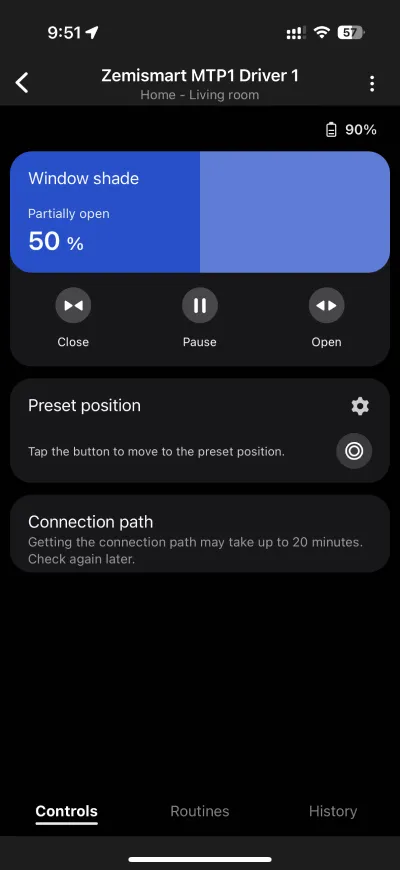
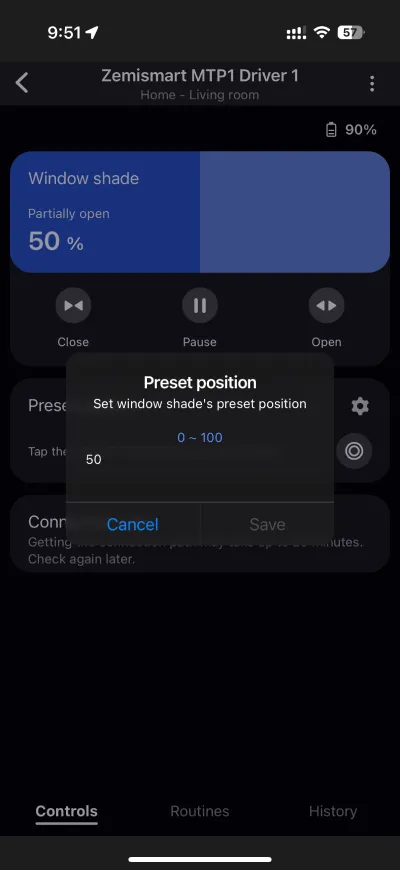
Furthermore, there is a Preset position feature, which is essentially a customizable “favorite blind position” setting. The addition of the preset and pause functions unlocks more automation possibilities in SmartThings.
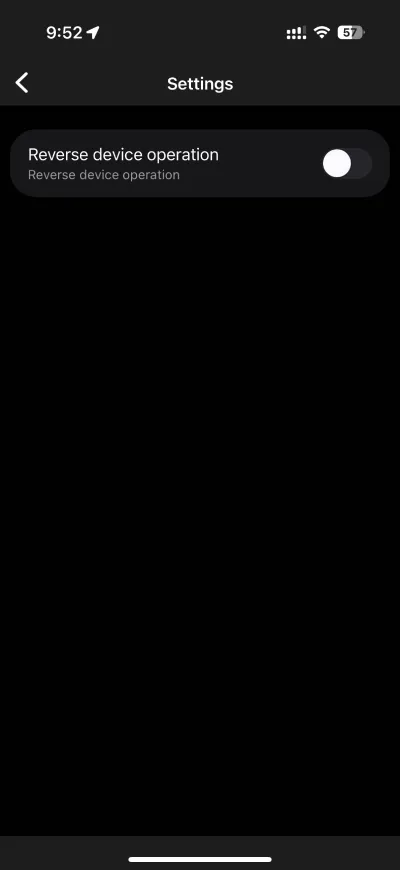
Within Device Settings, a feature is available to reverse the driver’s direction. This addresses potential installation mismatches: if the motor was mounted in an inverse orientation, reversing the direction ensures that the controls (Open/Close) align correctly with the physical movement of the blind.
Set up on Home Assistant
The MTP1 can be added to 4 Matter ecosystems at the same time. Since I had already added them to Apple Home, Google Home, Alexa, and SmartThings, I had to remove the driver from one ecosystem in order to add it to Home Assistant.
Adding the MTP1 to Home Assistant requires only a few simple steps, just like adding any other Matter device. Once added, you’ll see the following entities.
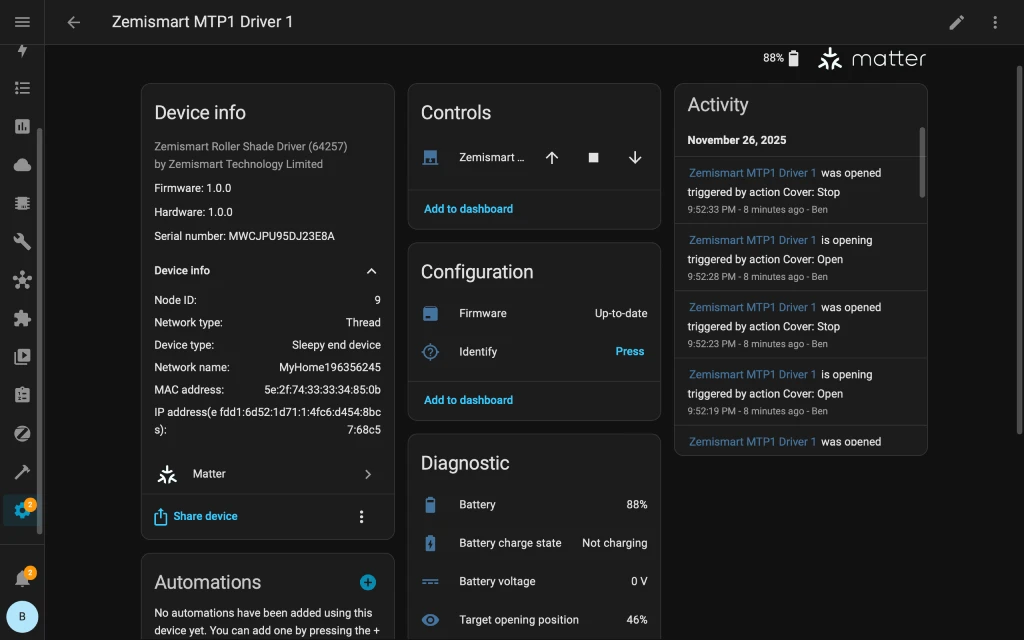
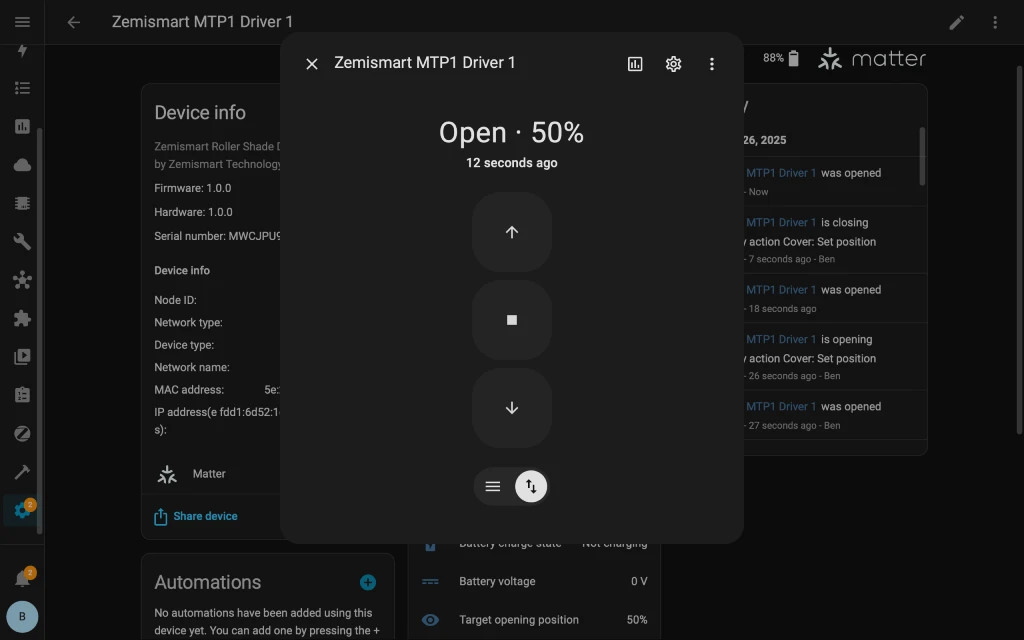
For the blind motor control, Home Assistant provides 2 options. The default control is a slider, which can be used to adjust the opening or closing of blinds by percentage.
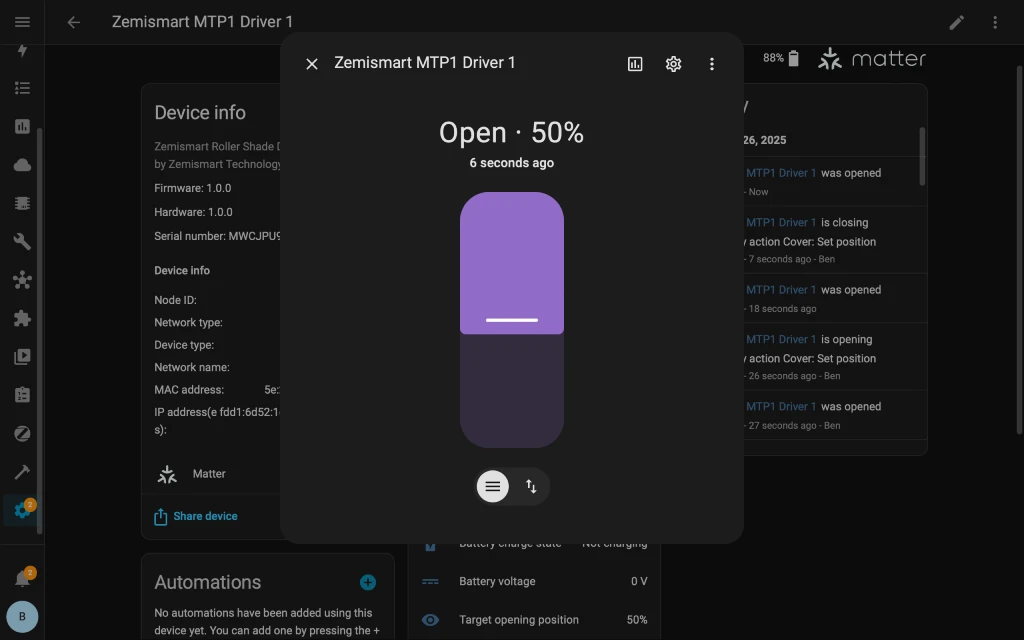
The other option is button controls, providing open, close, and pause functions.
Under Diagnostic entities, you’ll find battery level, charge status, and voltage. These entities will be useful for automations, such as creating a reminder to charge the driver when its battery falls below a set threshold. If you have a wall outlet close by, you could even automate when to start and stop charging using a smart plug.
Matter Features across Ecosystems
Since Matter features are not uniformly adopted across all smart home ecosystems, here’s a quick comparison of the MTP1’s functionality across Alexa, Apple Home, Google Home, SmartThings, and Home Assistant. Overall, SmartThings has the most features, providing Preset position and Reverse device operation not available on other ecosystems.
|
Feature |
 |
 |
 |
 |
 |
|---|---|---|---|---|---|
|
Open and close |
✓ |
✓ |
✓ |
✓ |
✓ |
|
Pause |
✓ |
✓ |
|||
|
Preset position |
✓ |
||||
|
Battery level |
✓ |
✓ |
✓ |
✓ |
|
|
Battery level as automation trigger |
✓ |
✓ |
|||
|
Battery charging status |
✓ |
✓ |
✓ |
||
|
Reverse device operation |
✓ |
Features & Performance
Compatible Blinds & Cords
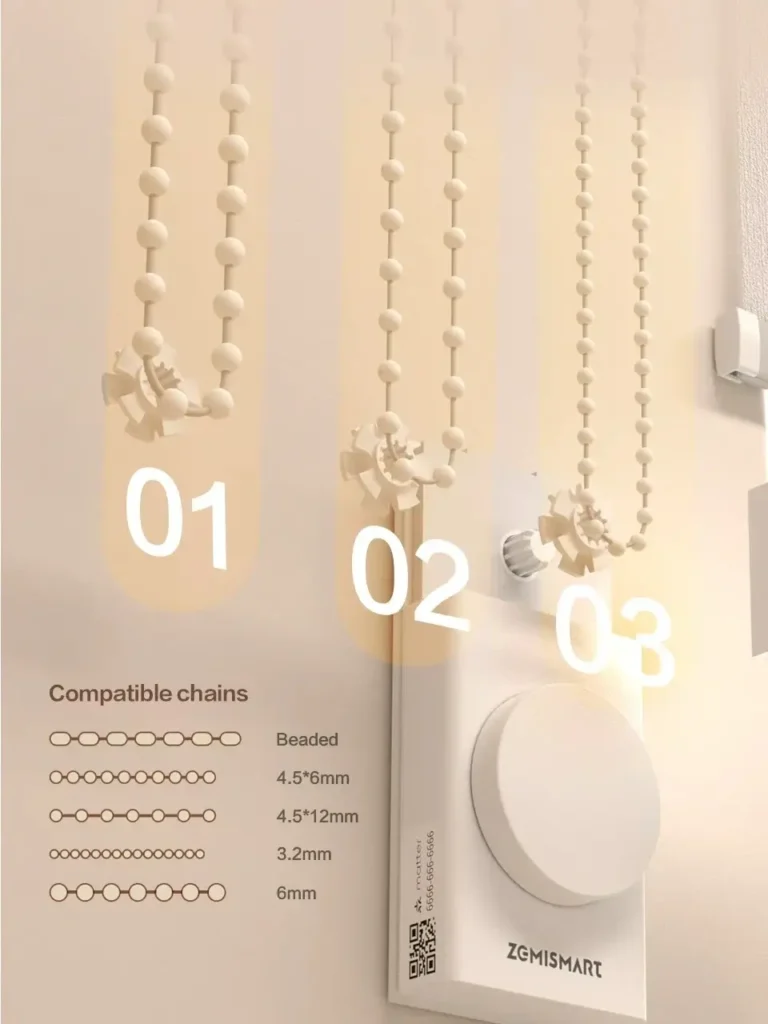
The Zemismart MTP1 driver is designed to work with most standard roller shades, including roller shades, venetian blinds, honeycomb shades, zebra shades, and triple shades. Zemismart provides bead wheels in 3 sizes to accommodate beaded cords of 3 to 6 mm.
Driver Speed Selection
The MTP1 driver has a 3-speed motor that can be adjusted by simply rotating the knob in the following manner:
- By default, the driver runs at medium speed when you first rotate the knob
- Rotating the knob the second time sets the driver to the highest speed
- Rotating the knob once more sets the driver to the lowest speed
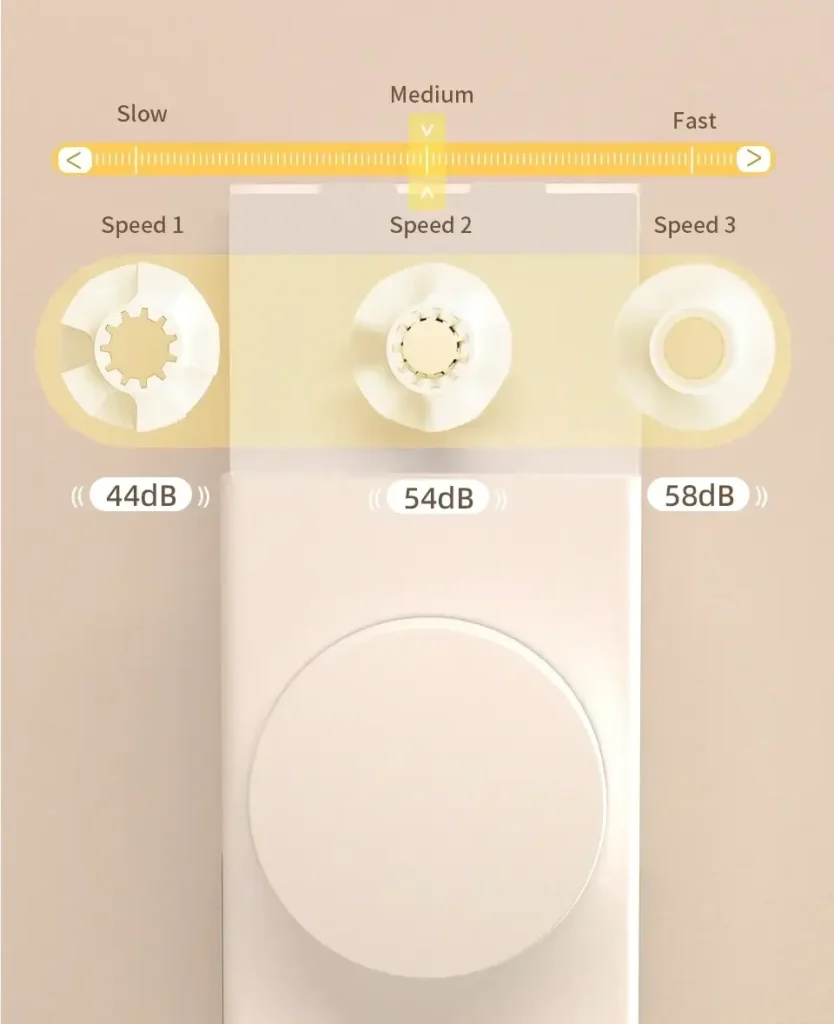
Once a speed is selected, the driver will operate at that setting until you adjust the speed again. The motor speed can also be adjusted using the driver’s remote by repeatedly pressing the Up/Down buttons. If you’re wondering if the motor speed can be adjusted from your smart home app, the answer is unfortunately no, as none of the ecosystems I tested has this feature.
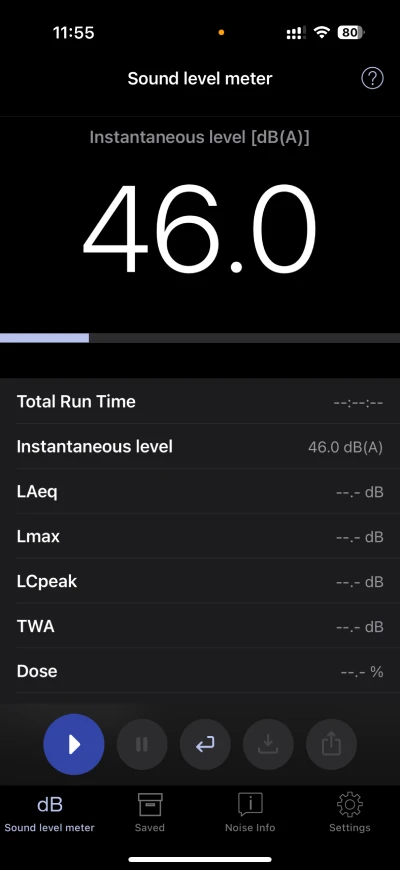
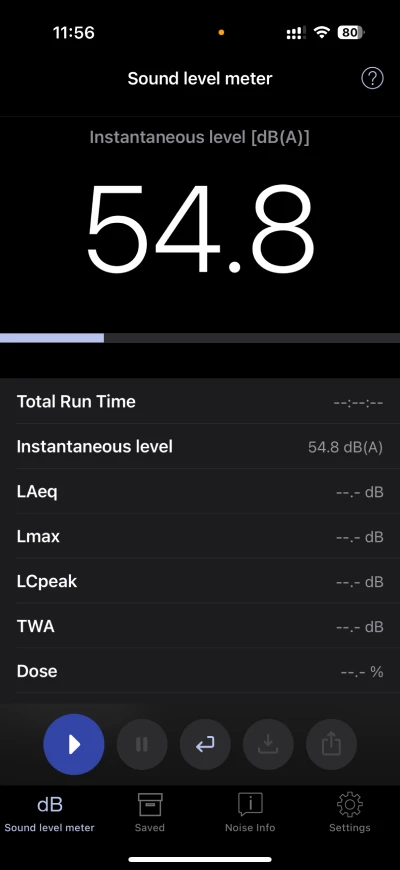
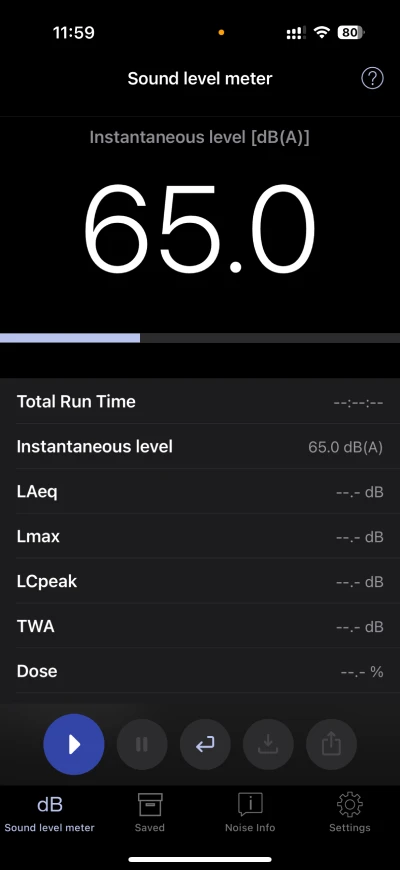
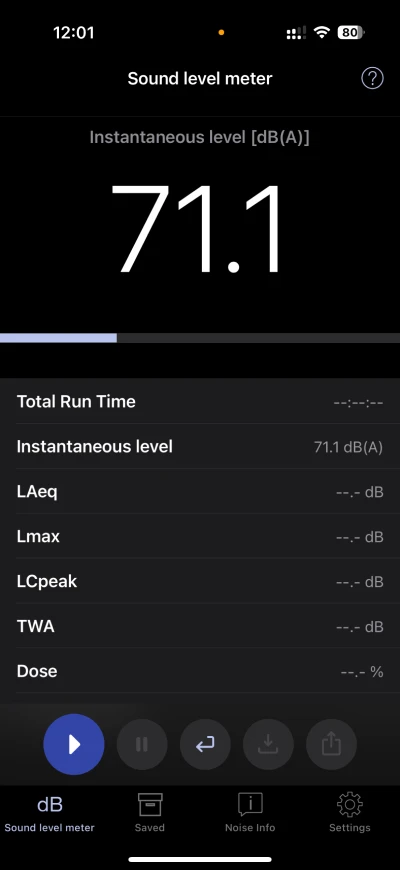
As for noise levels, I used the NIOSH Sound Level Meter App to measure decibel (dB) levels of the motor running at different speed settings, with a baseline measurement taken before turning on the motor for comparison.
- Baseline (quiet room): ~46 dB
- Slow speed setting: ~55 dB
- Medium speed setting: ~65 dB
- High speed setting: ~71 dB
At its lowest speed, I could barely hear the motor running, but the motor whirring sound is noticeable at the highest speed level.
Rechargeable Battery
The MTP1 is powered by a built-in 6,400 mAh rechargeable battery. Charging is via a standard USB-C port, discreetly located at the bottom of the driver. The MTP1 ships with very low battery charge due to transportation safety requirements. According to Zemismart, the first full charge takes approximately 12 hours, although it took me only a few hours to reach 100%. For added convenience, you can automate subsequent charging by attaching the charging cable directly to a smart plug on a wall outlet or extension cord, and use automations to start and stop charging on a schedule, or use the MTP1’s battery level as the trigger.
Remote
The MTP1 driver remote features three buttons: Open, Close, and Pause. It is simple to use and works over a good distance from the motor (over 8 meters in my testing). Besides standard open/close/pause, the remote also performs double duty in setting up the driver, for instance, setting and adjusting the top and bottom travel limits of the shade.
Direction Change
The MTP1 allows you to reverse the motor’s direction to provide flexibility in driver placement, with the function accessible both via the handheld remote and the Reverse device operation setting in the SmartThings app. However, enabling the reverse setting in SmartThings will only flip the shade’s direction in SmartThings but not the driver itself; for example, if the blind status is “Open” in SmartThings, it will be “Closed” in other ecosystem apps.
Pricing & Value
Zemismart MTP1 retrofit roller shade driver retails at USD 98.57 on the official site, positioning it competitively against competitors like the Aqara Roller Shade Driver E1. Unlike the Aqara E1 driver which requires a separate proprietary hub, the MTP1 is a Matter over Thread device that works with your existing Matter and Thread hub.
With Matter, you are assured that your investment is futureproof, works locally without cloud dependency, and allows you to freely use the device across multiple smart home ecosystems simultaneously.
The value is further enhanced by its premium build, rechargeable battery, and the inclusion of a handheld remote. The build quality is matched by its excellent usability: the MTP1 offers an intuitive user experience with its large dial knob and innovative sliding track adjustment for wall mounting.
Final Thoughts
Zemismart has created a truly innovative product that solves a common problem for smart home enthusiasts looking to retrofit their existing roller blinds onto modern Matter-compatible platforms. The MTP1 roller shade driver impresses with a premium aluminium alloy build and an adjustable mounting system that makes chain tensioning easy for different blind types.
Its large dial knob provides intuitive manual control, letting users open, close, or pause the shade movement, and adjust speed settings. Powered by a rechargeable 6,400 mAh battery with a modern USB-C charging port, the MTP1 leverages Thread technology for fast and power-efficient connectivity. The included handheld remote adds a convenient, non-smart control option.
With a maximum pull weight of 5.5 kg, the MTP1 driver is suitable for most standard home blinds except very large or heavy shades. Users without a Matter hub with a Thread Border Router would need to invest in one to unlock smart features.
Overall, the Zemismart MTP1 offers excellent build quality, thoughtful design, and universal smart home compatibility, making it a standout choice for those seeking to “smartify” their window coverings without breaking the bank.

Leave a Reply